EasyManua.ls Logo

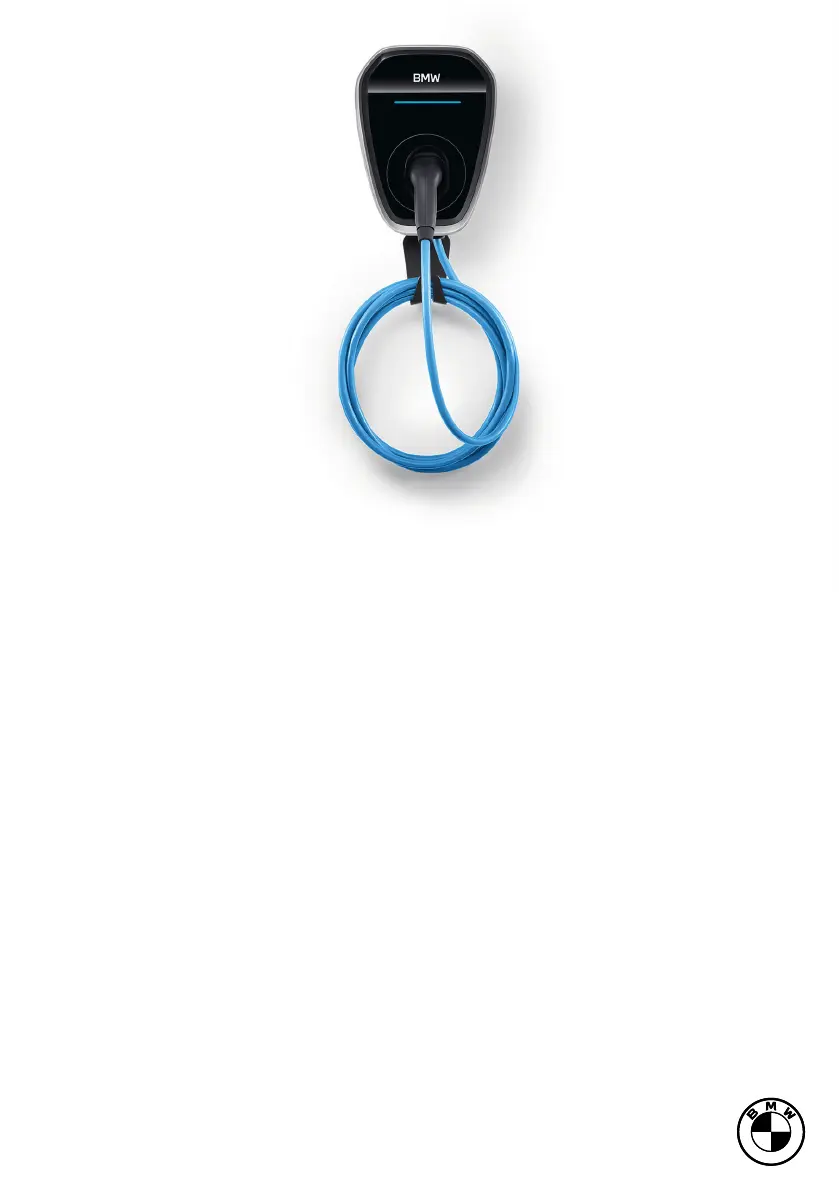
BMW Wallbox - User Manual

BMW Wallbox
36 pages
Print Icon
To Next Page IconTo Next Page
Loading...
BMW WallboxBMW Wallbox
INSTRUCTIONS FOR USE.
ORIGINAL BMW ACCESSORIES.

Questions and Answers

  • S
    Sean JohnsJul 29, 2025
    How to troubleshoot a BMW Wallbox LED display with no power?
    • J
      Jennifer ClarkJul 29, 2025
      If the LED display of your BMW Automobile Accessories has no power supply, check the RCCB and circuit breaker and switch them on if necessary. If this doesn't resolve the issue, contact your local dealer.
  • B
    Brittney RobertsonAug 3, 2025
    What to do if the LED display on my BMW Automobile Accessories is lit in red?
    • S
      Sherri ReidAug 4, 2025
      If the LED display on your BMW Automobile Accessories is lit in red, first switch off the supply voltage using the appropriate mains isolator. Then, disconnect the vehicle connecting plug and switch the supply voltage on again. If the issue persists, contact your local dealer.
  • X
    xboydAug 9, 2025
    What to do if the BMW Wallbox Automobile Accessories LED display is lit in red?
    • D
      Dawn BeardAug 9, 2025
      If the LED display on your BMW Wallbox is red, switch off the supply voltage using the mains isolator. Then, disconnect the vehicle connecting plug and switch the supply voltage back on. If the issue continues, contact your local dealer.
  • S
    shelley59Aug 16, 2025
    Why is the BMW Wallbox charging cycle not starting?
    • B
      Brittany RamosAug 16, 2025
      The charging cycle for your BMW might not start for several reasons. The vehicle connection plug may not be correctly inserted; try removing and reconnecting it. The vehicle could be programmed to start charging later, or it might not require power currently, so check the vehicle status. The app connection might also be faulty.
  • D
    Darlene LopezAug 22, 2025
    How to fix BMW Wallbox Automobile Accessories LED display with no power supply?
    • C
      Christopher TuckerAug 22, 2025
      If the LED display of your BMW Wallbox has no power, check the RCCB and circuit breaker and switch them on if necessary. If there is still no power, there may be an error on the BMW Wallbox, in that case, contact your local dealer.

Summary

General Information and Safety

Manual Symbols Guide

Explains the meaning of symbols used to highlight important information.

Key Safety Information and Warnings

Crucial safety guidelines and precautions for installation and operation.

CE Declaration of Conformity Information

Provides link to download the CE declaration of conformity.

FCC EMC Compliance Declaration

States compliance with Federal Communications Commission Part 15.

EU Directive 2014;94;EU Information

Details compliance requirements related to EU Directive 2014/94/EU.

BMW Wallbox Intended Use

Specifies the proper and intended applications for the BMW Wallbox.

Manual Scope and Supported Device Types

Clarifies which BMW Wallbox models the manual covers.

BMW Wallbox Package Contents

Illustrates and lists all items included in the BMW Wallbox package.

BMW Wallbox Warranty Details

Details warranty terms and conditions and what is not covered.

Device Overview and Requirements

BMW Wallbox Displays and Controls Overview

Identifies the key components and controls on the BMW Wallbox.

General Site Selection Criteria for Wallbox

Guidelines for choosing a suitable and safe installation location.

Electrical Connection Specifications

Requirements for the electrical connection and circuit breaker settings.

Choosing the Right RCCB

Recommendations for selecting the appropriate RCCB type and rating.

Circuit Breaker Selection Guidelines

Advice on choosing the correct circuit breaker for different Wallbox versions.

Connection Cable Selection Considerations

Factors to consider when selecting the power connection cable.

Mains Isolator Explained

Clarifies the role of RCCB and circuit breaker as the mains isolator.

Installation Procedures

Installation Requirements and Acclimatisation

Essential prerequisites for installation, including acclimatisation.

Tools Required for Wallbox Installation

Lists the tools needed for performing the installation.

Recommended Installation Site Selection

Guidance on choosing the optimal mounting location for the device.

Wall Mounting Spacing Requirements

Specifies the necessary clearance dimensions for mounting the Wallbox.

Step-by-Step Wallbox Installation

Detailed instructions for securely installing the BMW Wallbox on a wall.

Removing Device Covers

Procedures for safely removing the device's covers.

Securing the Anti-Theft Screw

Instructions for installing the anti-theft screw for added security.

Wiring and Configuration

Connecting Input Terminals

Guides on how to connect wires to the input terminal strip.

Optional Input X1 Connection Guide

Details for connecting external components via the optional Input X1.

DIP Switch Settings: Earthing System

How to configure DIP switches for TN or TT/IT earthing systems.

DIP Switch Power Settings (Models 1 B1, 1 B2, 1 B4)

DIP switch configurations for setting charging current on specific Wallbox models.

DIP Switch Power Settings (Models 1 B3, 1 B5)

DIP switch configurations for setting charging current on other Wallbox models.

DIP Switch Settings: Authorisation

How to configure DIP switches for app-based or free access.

Advanced Features and Settings

Connecting External Energy Meters

Instructions for connecting energy meters for home connection monitoring.

Phase Assignment Configuration via DIP Switches

Setting phase assignment using DIP switches 2 and 3.

Monitoring Asymmetric Loads Configuration

Configuring DIP switches for maximum current in asymmetric load monitoring.

Household Connection Limit Settings

Defining household connection limits using DIP switches 6 to 9.

Operation and Diagnostics

BMW Wallbox Commissioning Steps

Install terminal block cover and lock the housing cover.

Starting Charging (App Access Enabled)

Steps to initiate a charging session with app authorization.

Stopping Charging (App Access Enabled)

How to end a charging session with app authorization.

Starting Charging (App Access Disabled)

Steps to initiate a charging session without app authorization.

Stopping Charging (App Access Disabled)

How to end a charging session without app authorization.

Using the Wallbox Service App

Information on using the service app for configuration and diagnostics.

LED Display Status Guide

Explains the meaning of different LED indicators on the Wallbox.

Troubleshooting and Technical Data

Troubleshooting Common BMW Wallbox Issues

Provides solutions for common problems encountered with the BMW Wallbox.

Technical Specifications by Part Number

Details technical data for different BMW Wallbox part numbers.

Electrical Faults, Protection, Dimensions & Weight

Details fault detection, protection, dimensions, and weight.

Environmental and Operational Specifications

Details interfaces, operating conditions, and protection categories.

Waste Disposal

Proper Waste Disposal Procedures

Instructions on decommissioning and disposing of the device according to regulations.

BMW Wallbox Specifications

General IconGeneral
Charging PowerUp to 22 kW
Connector TypeType 2
Protection RatingIP54
ConnectivityWi-Fi, Ethernet
CompatibilityAll electric and plug-in hybrid vehicles
Voltage230 V / 400 V (3-phase)
AmperageUp to 32 A
MountingWall-mounted

Related product manuals