Functional limitations
The rear-collision warning may be restricted if
the speed of the approaching vehicle is much
higher or similar to your own speed.
Traffic light and sign
warning
Principle
The traffic light and sign warning provides sup-
port in situations in which the right-of-way
needs to be yielded based on road signs or
traffic lights.
This system uses a camera to analyze traffic
signs and traffic lights. The navigation system
directs information on the road layout to the
system.
For warning purposes, the respective traffic sit-
uation, for example, is displayed on the instru-
ment cluster. An acoustic signal also sounds in
acute warning situations.
A warning is given if the right of way is about
to be violated, e.g., in the following traffic situa-
tions:
▷
At an intersection.
▷ At a road entrance.
▷ On a highway entrance ramp.
▷ At a roundabout.
▷ With a red traffic light.
The traffic light and sign warning can be ac-
tivated or deactivated on the control display.
You can also configure the warning time.
Safety information
Follow the safety information in the "Forward
Collision Mitigation" chapter.
Functional requirement
The right-of-way situation ahead of the vehicle
must be clearly controlled by traffic signs or
light signal systems.
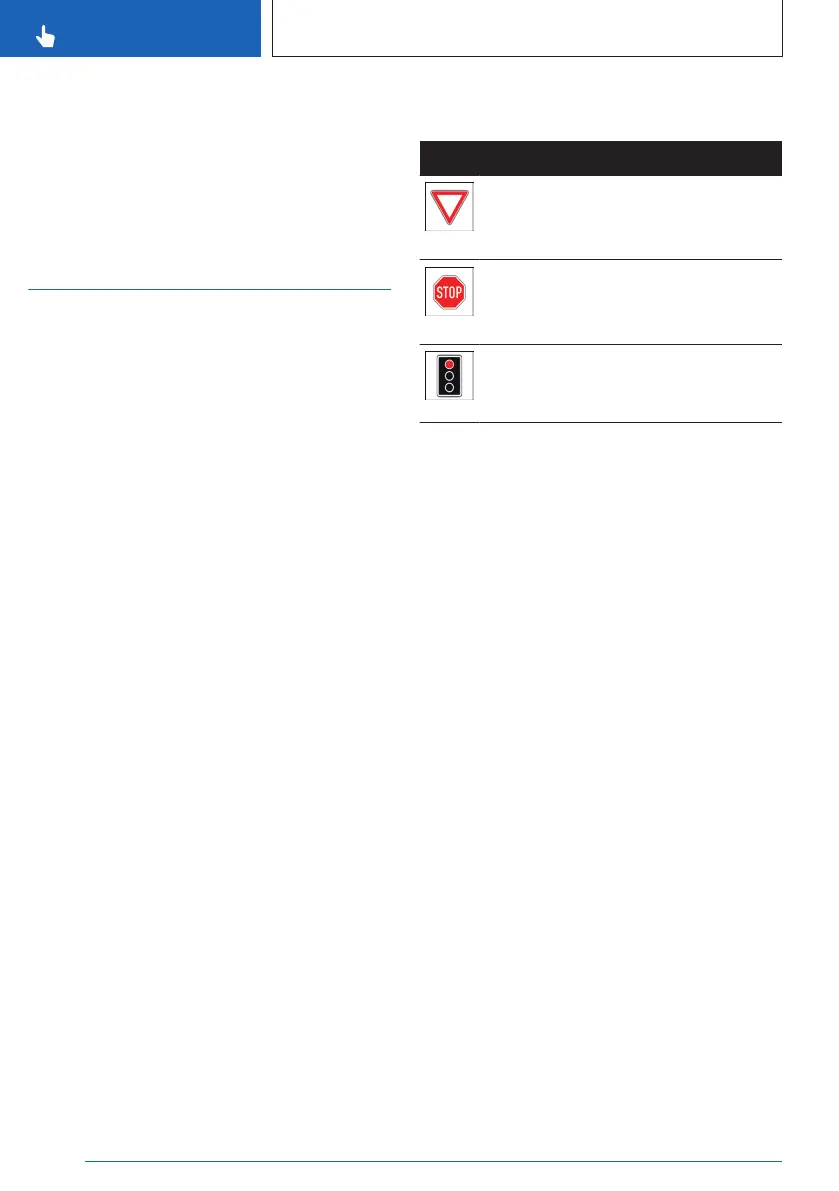
The following traffic signs are taken into ac-
count for the traffic light and sign warning:
Sign Meaning
Give way signs:
A pre-warning is issued for these
road signs.
Stop signs:
A pre-warning is issued for these
road signs.
When traffic lights are red, a pre-
warning and an acute warning will be
issued.
Speed range
The traffic light and sign warning system
issues a warning as from a variable mini-
mum speed and at speeds up to approx.
60 mph/100 km/h.
Sensors
The traffic light and sign warning is controlled
by the camera behind the windshield.
Activating/deactivating the traffic
light and sign warning
1.
To activate or deactivate the traffic light
and sign warning, go through the menu as
follows via iDrive: Apps menu / "Vehicle" /
"Driving settings" / "Driver Assistance" /
"Safety and warnings" / "Right-of-way
warning".
2. Select the desired setting.
Setting the warning time for the
traffic light and sign warning
1.
To set the warning time for the traffic light
and sign warning, go through the menu as
follows via iDrive: Apps menu / "Vehicle" /
"Driving settings" / "Driver Assistance" /
Seite 188
CONTROLS
Safety
188
Online Edition for Part no. 01405A8A536 - VI/23



 To Next Page