Displays in the instrument cluster
Icon Description
Indicator light green: system is active.
Indicator light gray: the system has
been interrupted and will activate au-
tomatically as soon as all functional
requirements are met.
White indicator light: the system can
be activated.
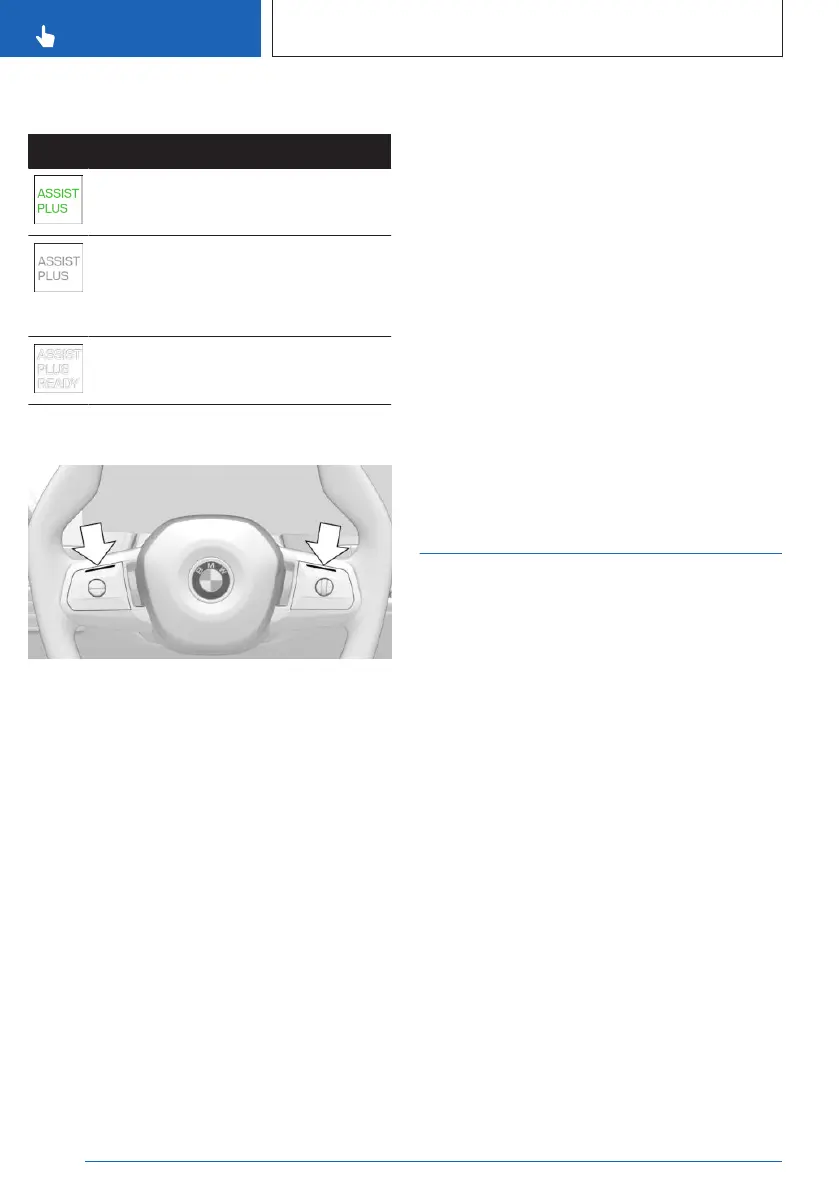
Displays on the steering wheel
The two LEDs above the keypads illuminate
depending on the situation.
▷
The LEDs on the steering wheel illuminate
green when Assisted Driving Mode Plus is
active.
▷ The LEDs on the steering wheel illuminate
yellow when the system is interrupted.
Grab the steering wheel with your hands.
▷ The LEDs on the steering wheel illuminate
red when the system is deactivated.
Grab the steering wheel immediately with
your hands.
Additional information:
Assisted Driving Mode, refer to page 220.
Displays in the Head-up display
Depending on vehicle equipment, Assisted
Driving Mode Plus information can also be
shown on the Head-up display.
System limits
The system limits of the following systems ap-
ply:
▷ Assisted Driving Mode
▷ Driver Attention Camera
▷ Sensors of the vehicle
Additional information:
▷ Assisted Driving Mode, refer to page 220.
▷ Driver Attention Camera, refer to page 201.
▷ Sensors of the vehicle, refer to page 34.
Speed Limit Assistant
Principle
Speed Limit Assistant supports driving at the
speed limit. You can have speeds suggested
by the Speed Limit Assistant adopted by your
vehicle's speed control systems.
Speed Limit Assist is switched on/off via iDrive
and operated using the buttons on the steering
wheel.
You can adjust suggested speeds by entering
tolerances.
The following system functions are shown on
the instrument cluster.
General information
When vehicle systems, e.g., Speed Limit Info,
detect a speed limit change, this new speed
can be applied to the following systems:
▷
Cruise control.
▷ Distance Control.
▷ Assisted Driving Mode.
▷ Assisted Driving Mode Plus.
Seite 228
CONTROLS
Driver assistance systems
228
Online Edition for Part no. 01405A8A536 - VI/23



 To Next Page