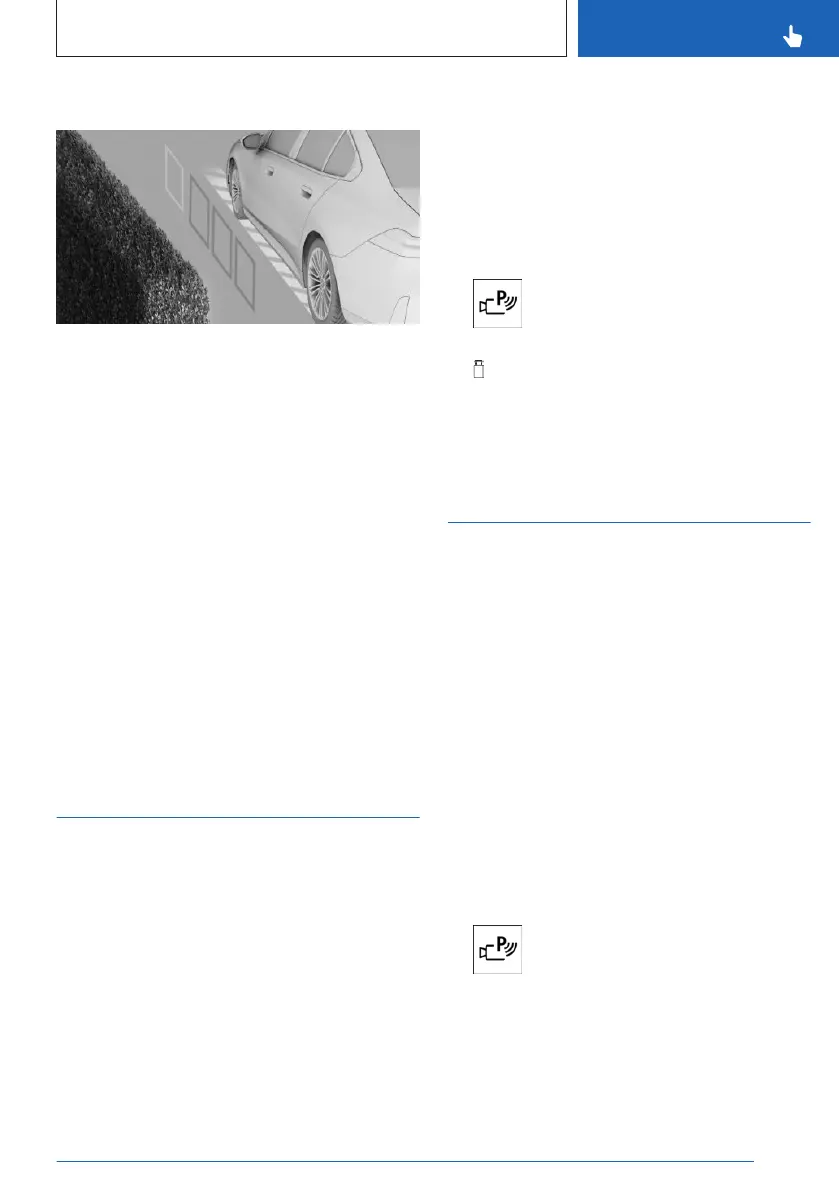
Lateral Parking Aid display
To protect the sides of the vehicle, obstacle
markings are displayed on the sides of the ve-
hicle.
Colored obstacle markings warn the driver
when obstacles have been detected.
If no obstacle markings are displayed, no ob-
stacles have been detected.
Limits of the side protection
The Lateral Parking Aid only displays station-
ary obstacles that were previously detected by
the sensors while passing them.
The system does not detect whether an obsta-
cle moves later on. For this reason, at stand-
still, the marks are not shown anymore in the
display after a certain time. The area next to
the vehicle must be newly captured.
Side view
Principle
Side view shows the vehicle's side surround-
ings, making it easier to position the vehicle at
the curb or with other obstacles on the side.
The camera view looks from the rear to the
front and, if there is a hazard, focuses auto-
matically on potential obstacles.
Side view can be turned on or off using the
control display.
General information
Follow the information in the "Parking assis-
tance systems" chapter.
Turning the side view on/off
The selection window lets you choose the side
view for the left or right side of the vehicle.
1. To switch on side view, press the
Park Assist key on the center console.
2. Select the camera icon for the desired
vehicle side in the selection window.
To exit the side view, select another camera
view in the selection window.
3D view
Principle
With 3D view, a circle is displayed around the
vehicle top view in the selection window.
Specified perspectives can be selected on the
circle.
The current perspective is marked with a cam-
era icon.
3D view can be turned on or off using the con-
trol display.
General information
Follow the information in the "Parking assis-
tance systems" chapter.
Turning the 3D view on/off
1.
To switch on 3D view, press the
Park Assist key on the center console.
2. Go through the menu as follows via iDrive:
"More" / "3D view".
To exit the 3D view, select another camera
view on the left toolbar.
Seite 241
Parking
CONTROLS
241
Online Edition for Part no. 01405A8A536 - VI/23



 To Next Page