Rolling or pushing the vehicle, refer to
page 119.
Panorama View
Principle
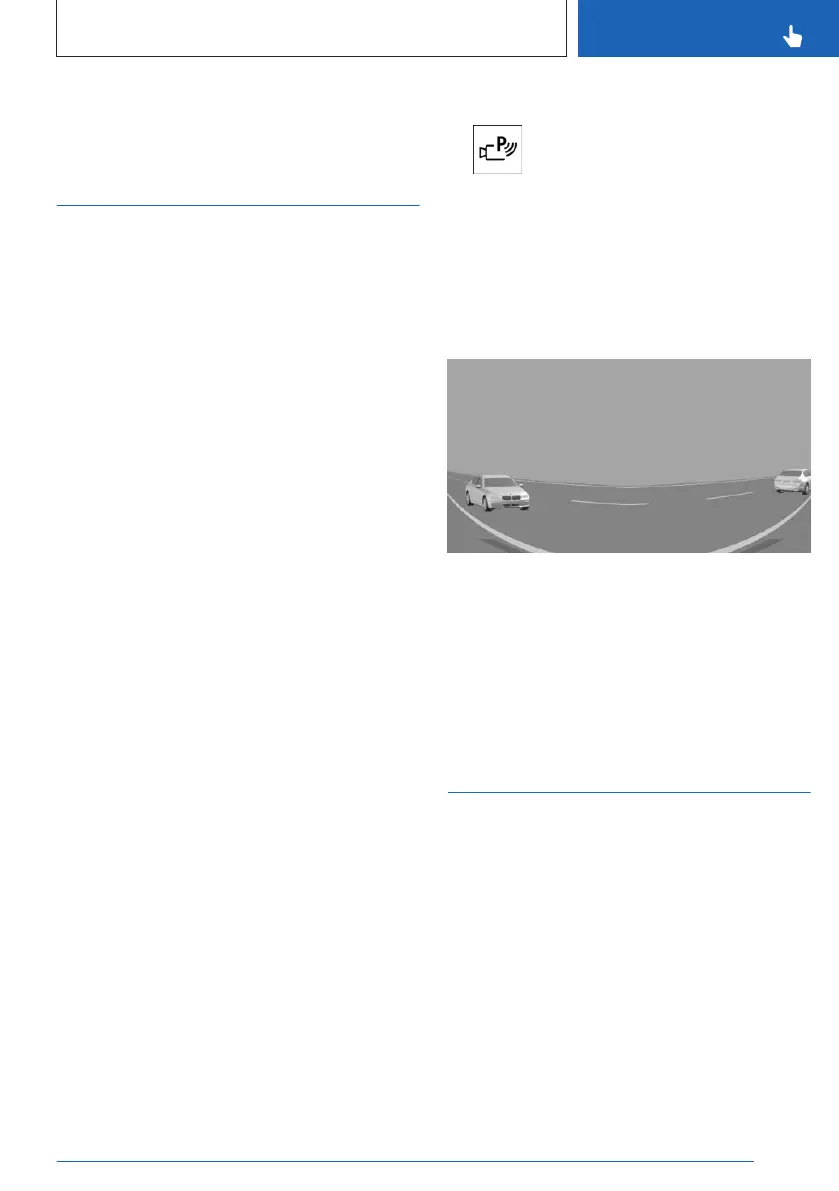
The panoramic view gives you an earlier view
of crossing traffic at blind driveway exits and
intersections.
This function can be used when reversing and,
depending on vehicle equipment, when driving
forward.
Road users concealed by obstacles to the left
and right of the vehicle can only be detected
relatively late from the driver's seat. The front
camera and rearview camera capture the area
around the side of the vehicle to improve the
driver's view.
Panorama view can be turned on or off using
the control display.
Depending on vehicle equipment, this function
can be activated automatically by saving acti-
vation points.
General information
The camera image shows different levels of
distortion in some areas and is thus not suita-
ble for distance estimations.
Follow the information in the "Parking assis-
tance systems" chapter.
Sensors
Panorama view is controlled by the following
sensors:
▷
Rearview camera.
▷ Depending on if vehicle is equipped with
front camera.
Turning the panoramic view on/off
1. To turn on panorama view, press
the Park Assist key on the center console.
2. Bring up the following menu via iDrive:
"Panorama".
To exit panorama view, select another camera
view on the left toolbar.
Display
Yellow lines on the screen display identify the
bumpers of your own vehicle.
Depending on the engaged selector lever posi-
tion, the camera view of the rearview camera
or front camera will be displayed.
Automatic activation of
panorama view
Principle
Positions at which panorama view should
switch on automatically can be saved as acti-
vation points.
Up to ten activation points can be saved and
edited.
The activation points can be used when driv-
ing forward and, depending on national-mar-
ket version, when reversing.
Seite 243
Parking
CONTROLS
243
Online Edition for Part no. 01405A8A536 - VI/23



 To Next Page