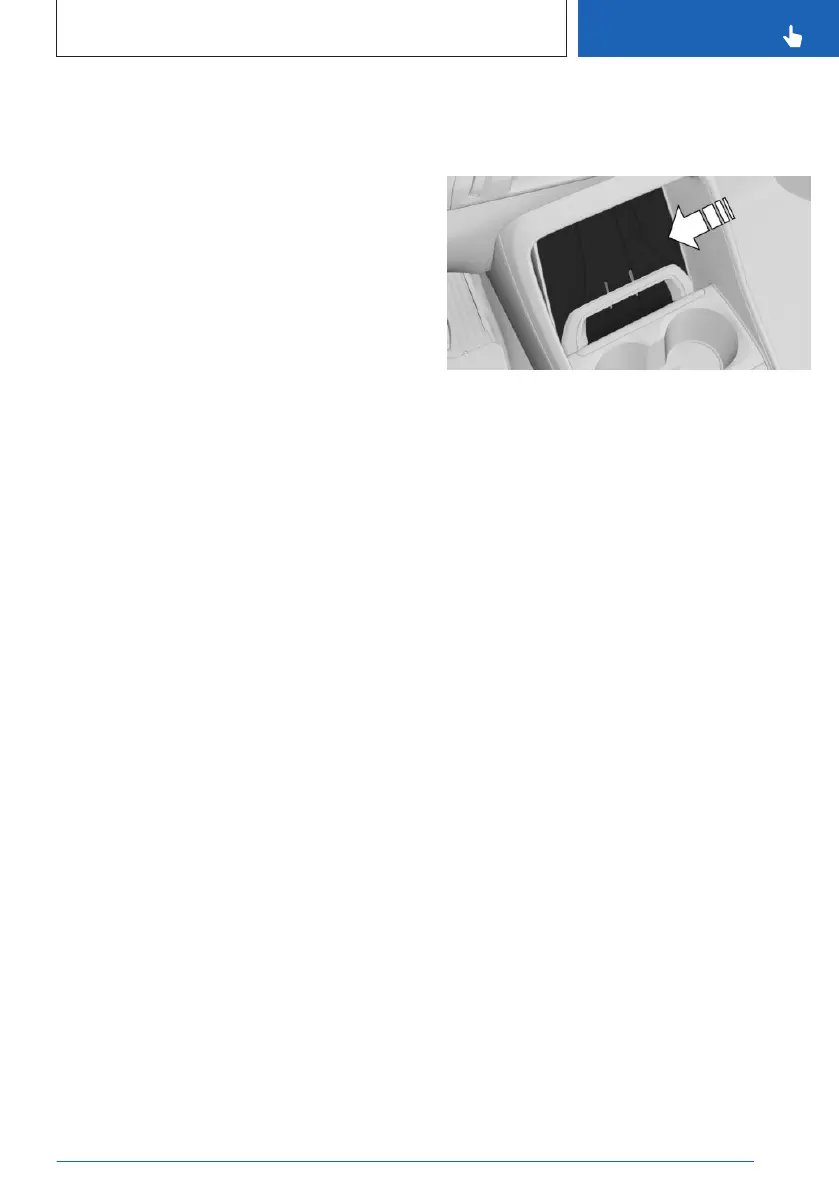
master Digital Key must be in the smartphone
tray.
1. Go through the menu as follows via iDrive:
Apps menu / "Vehicle" / "Doors and
windows" / "Vehicle key" / "Digital Key" /
2. If necessary, select the digital key.
3. "Delete key"
Resetting the function
To reset the BMW Digital Key function, an au-
thorized vehicle key must be located in the ve-
hicle.
When resetting the BMW Digital Key function,
all digital keys including the main digital key
will be deleted. The Key Card digital key is not
deleted.
After the reset, the vehicle can no longer be
unlocked, locked or started with a digital key.
The main digital key must be enabled again to
be able to use BMW Digital Key again.
To reactivate the digital master key, go
through the menu as follows: Apps menu /
"Vehicle" / "Doors and windows" / "Vehicle
key" / "Digital Key" / "US: Reset function"
Unlocking and locking the vehicle
The vehicle can be unlocked and locked as fol-
lows:
▷
Via the external door handle.
▷ With Comfort Access: depending on the na-
tional-market version, the vehicle can be
locked and unlocked with no-touch activa-
tion.
Bluetooth must be activated on the smart-
phone for contactless unlocking and locking
using the Digital Key.
BMW Digital Key availability and function-
ality depend on vehicle equipment and na-
tional-market version.
Additional information:
Access to the vehicle interior, refer to page 72.
Turning on the drive-ready state
Using the smartphone tray
1. Place the smartphone centered into the
tray and slide down behind the holding
clasp.
Ensure that the display is facing up.
2. Press the Start/Stop button to turn on the
drive-ready state.
Depending on the thickness of the mobile
phone, it may be necessary to open the retain-
ing clip while inserting and removing.
In the interior
With Comfort Access, it is sufficient, depending
on the country, for the smartphone with ena-
bled Bluetooth to be located inside the vehi-
cle. Press the Start/Stop button to turn on the
drive-ready state.
Sale of the smartphone
Delete all digital keys on the smartphone prior
to selling the smartphone. This ensures that
the smartphone can no longer be used for the
vehicle.
Changing smartphones
To use a new smartphone as a master Digital
Key, activate the new smartphone according to
the instructions for the master Digital Key. The
previous master key is deleted when the new
smartphone is activated.
Seite 83
Opening and closing
CONTROLS
83
Online Edition for Part no. 01405A8A536 - VI/23



 To Next Page