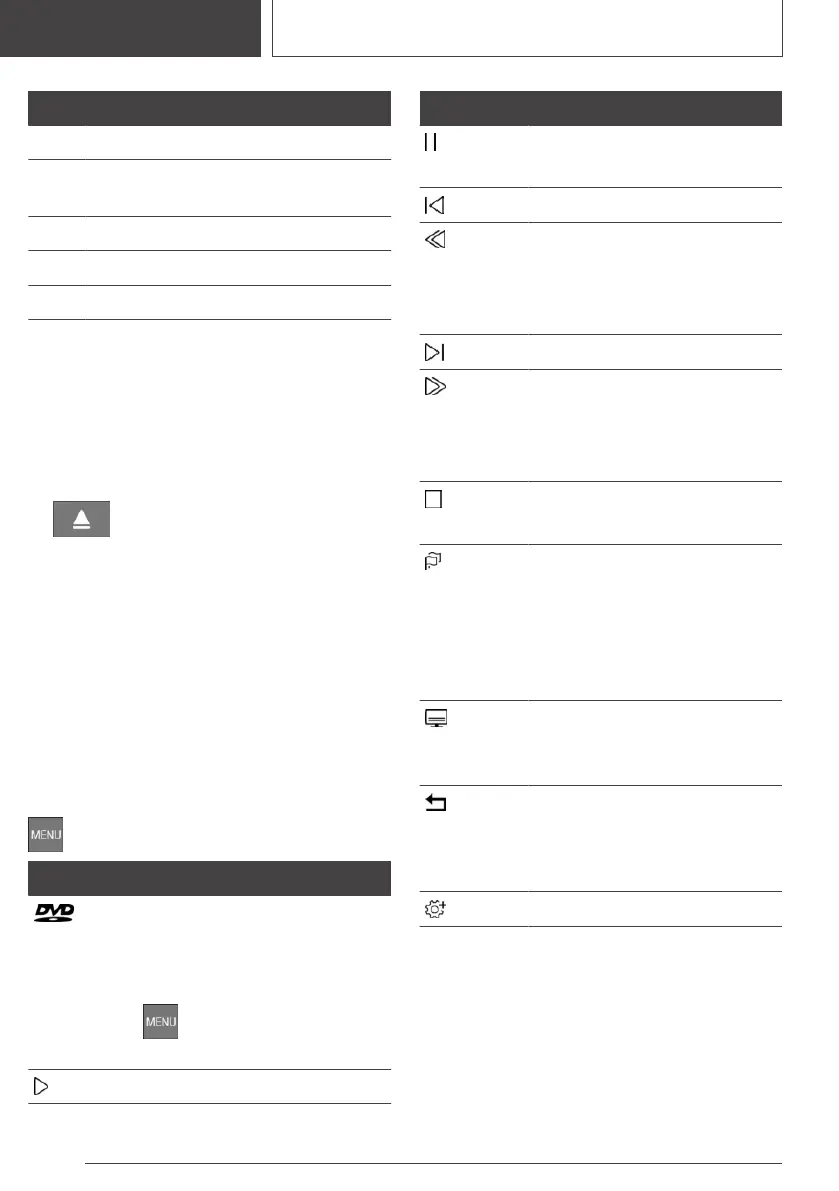
Code Region
3 Southeast Asia.
4 Australia, Central and South America,
New Zealand.
5 Northwest Asia, North Africa.
6 China.
0 All regions.
Inserting the DVD
Insert the DVD into the DVD slot in the rear with
the printed side up.
Playback begins automatically.
Removing the DVD
1. Press the button on the radio.
The DVD is partially ejected.
2. Remove DVD.
Selecting a DVD
1.
"MEDIA"
2. "CD/DVD"
3. Playback begins automatically.
Video menu
Go to video menu:
Press the button during playback.
Icon Function
Go to DVD menu.
Many DVDs have their own me‐
nus. The display depends on the
contents of the DVD.
Press the button to exit
the DVD menu.
Start playback.
Icon Function
Pause.
Playback is paused.
Previous chapter.
Fast rewind.
The speed is increased with
each press of the Controller.
To stop: start playback.
Next chapter.
Fast forward.
The speed is increased with
each press of the Controller.
To stop: start playback.
Stop.
Playback is ended.
Set the language.
The languages that are available
depend on the DVD.
Dolby, Dolby Audio, and the
double-D icon are trademarks of
Dolby Laboratories.
Set subtitles.
The subtitles that are available
depend on the DVD.
Back.
Return to the previous menu.
This function is not supported
by all media.
Further functions.
The video menu fades out automatically after a
short period of time.
Settings for DVD
For some DVDs, settings can only be made via
the DVD menu, refer also to the information on
the DVD.
Seite 52
ENTERTAINMENT
Video
52
Online Edition for Part no. 01405A39127 - VI/21



 To Next Page