EasyManua.ls Logo

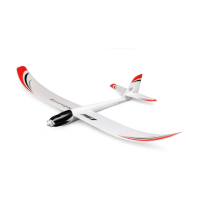
BNF UMX Radian - User Manual

BNF UMX Radian
18 pages
Print Icon
To Next Page IconTo Next Page
Loading...
Instruction Manual
Bedienungsanleitung
Manuel d’utilisation
Manuale di Istruzioni
UMX
RADIAN
®

Questions and Answers

  • A
    Angela PatelAug 18, 2025
    What to do if the LED flashes rapidly and BNF Toy aircraft won't respond after binding?
    • M
      Michelle WheelerAug 18, 2025
      If the LED on the receiver flashes rapidly and the aircraft won't respond to the transmitter after binding, there might be several reasons. Ensure at least 5 seconds pass between powering on the transmitter and connecting the flight battery to the aircraft. If using ModelMatchTM radios, verify the correct model memory is selected on the transmitter. Also, check and replace or recharge the flight and transmitter batteries if their charge is low. The transmitter might have been bound to a different model or with a different DSM Protocol, so select the right transmitter or bind to the new one. Finally, move the aircraft and transmitter away from large metal objects or wireless sources to prevent interference.
  • H
    hilljonAug 20, 2025
    Why BNF Toy aircraft will not respond to throttle?
    • J
      Joshua MooneyAug 20, 2025
      If your BNF Toy aircraft will not respond to throttle but responds to other controls, it could be due to several reasons. First, ensure the throttle stick and trim are at their lowest settings by resetting the controls. If that doesn't work, the throttle channel might be reversed; correct this by reversing the throttle channel on the transmitter. Lastly, check if the motor is properly connected to the receiver by opening the fuselage and ensuring the plug for the motor is correctly installed.
  • R
    Robert JonesAug 23, 2025
    How to fix BNF Toy if LED flashes rapidly and it will not bind?
    • R
      rwagnerAug 23, 2025
      If the LED on the receiver flashes rapidly and the BNF Toy aircraft will not bind to the transmitter, it could be due to the transmitter being too close to the aircraft during the binding process. Power off the transmitter, move it further away from the aircraft, then disconnect and reconnect the flight battery to the aircraft, and follow the binding instructions again. Also, ensure the bind switch or button was held while the transmitter was powered on by repeating the bind process. Finally, move the aircraft and transmitter away from large metal objects, wireless sources, or other transmitters and try binding again.
  • J
    James NewmanAug 26, 2025
    Why is there extra propeller noise or vibration in my BNF Toy?
    • V
      Victor HendersonAug 26, 2025
      If you notice extra propeller noise or vibration in your BNF Toy aircraft, it could be due to a damaged propeller, prop shaft, or motor, in which case you should replace the damaged parts. Another possible cause is a loose nut on the prop shaft; tighten it by 1/2 turn.
  • S
    Stephen CarrilloAug 28, 2025
    How to center control surfaces on BNF Toy?
    • A
      Adam WheelerAug 28, 2025
      If the control surfaces on your BNF Toy are not at the neutral position when the transmitter controls are at neutral, it could be because they were not mechanically centered at the factory. Center the control surfaces mechanically by adjusting the U-bends on the control linkages. Another possibility is that the aircraft was moved after the flight battery was connected but before the sensors initialized. To fix this, disconnect and reconnect the flight battery while keeping the aircraft still for 5 seconds.
  • S
    Stephanie CrawfordAug 30, 2025
    Why BNF Toy has reduced flight time or is underpowered?
    • J
      Jennifer BrownAug 30, 2025
      If your BNF Toy aircraft experiences reduced flight time or seems underpowered, it could be due to a low flight battery charge, so completely recharge it. Ensure the propeller is installed correctly with the numbers facing forward. A damaged flight battery could also be the cause, so replace it and follow the battery instructions. Cold flight conditions can also affect performance, so ensure the battery is warm before use. Lastly, the battery capacity may be too low for the flight conditions; replace it or use a larger capacity battery.
  • L
    Lauren BryanSep 1, 2025
    How to correct reversed controls on BNF Toy?
    • C
      Christine Day MDSep 1, 2025
      If the controls on your BNF Toy are reversed, it is likely due to reversed transmitter settings. Perform the Control Direction Test and adjust the controls on the transmitter appropriately.
  • J
    Juan GarciaSep 3, 2025
    Why BNF Toy controls oscillate in flight?
    • J
      Jeffrey LawrenceSep 3, 2025
      If the controls on your BNF Toy oscillate in flight, causing the model to rapidly jump or move, it might be due to an unbalanced propeller causing excessive vibration. Remove the propeller and rebalance it, or replace it if damaged. Another cause could be a loose nut on the prop shaft, leading to excessive vibration; tighten the prop shaft nut by 1/2 turn.
  • A
    Amanda GraySep 6, 2025
    What to do if a control surface on BNF Toy does not move?
    • S
      sbrownSep 6, 2025
      If a control surface on your BNF Toy does not move, there may be damage to the control surface, control horn, linkage, or servo; replace or repair any damaged parts and adjust the controls. Check for damaged wires or loose connections, and connect or replace them as needed. Ensure the flight battery is fully recharged. Also, ensure the control linkage moves freely.
  • K
    Kevin SmithSep 8, 2025
    Why BNF Toy model flies inconsistently?
    • M
      mcmahonjulieSep 8, 2025
      If your BNF Toy model flies inconsistently from flight to flight, it could be because the trims are moved too far from the neutral position. Neutralize the trims and mechanically adjust the linkages to center the control surfaces.

Summary

Safety and Warnings

General Safety Precautions

Lists essential safety rules for operating the model safely.

Specifications and Preflight

Preflight Checklist

Step-by-step guide to prepare the aircraft before flying.

Battery Charging

Charging Warnings

Critical safety instructions for charging Li-Po batteries.

Battery Charging Process

Detailed steps for safely charging the flight battery.

Assembly and Binding

Wing Installation

Procedure for attaching the wing to the aircraft fuselage.

Transmitter and Receiver Binding

Steps to establish communication between transmitter and receiver.

Flight Battery and ESC Arming

Installing the Flight Battery and Arming the ESC

Steps to connect the battery and arm the Electronic Speed Controller.

Control System Checks

Control Direction Test

Ensuring control surfaces move correctly with transmitter inputs.

Flying Operations

Landing

Guidance on performing safe and controlled landings.

Post-Flight and Maintenance

Motor and Assembly

Troubleshooting Guide

AS3 X Troubleshooting

Specific troubleshooting steps for the AS3X system.

BNF UMX Radian Specifications

General IconGeneral
BrandBNF
ModelUMX Radian
CategoryToy
LanguageEnglish

Related product manuals