NOTE: Before performing reset, clear “Airdopes 621” from pairing device history by forgetting device
Step 1: Place both the earbuds back inside the charging case in correct orientation
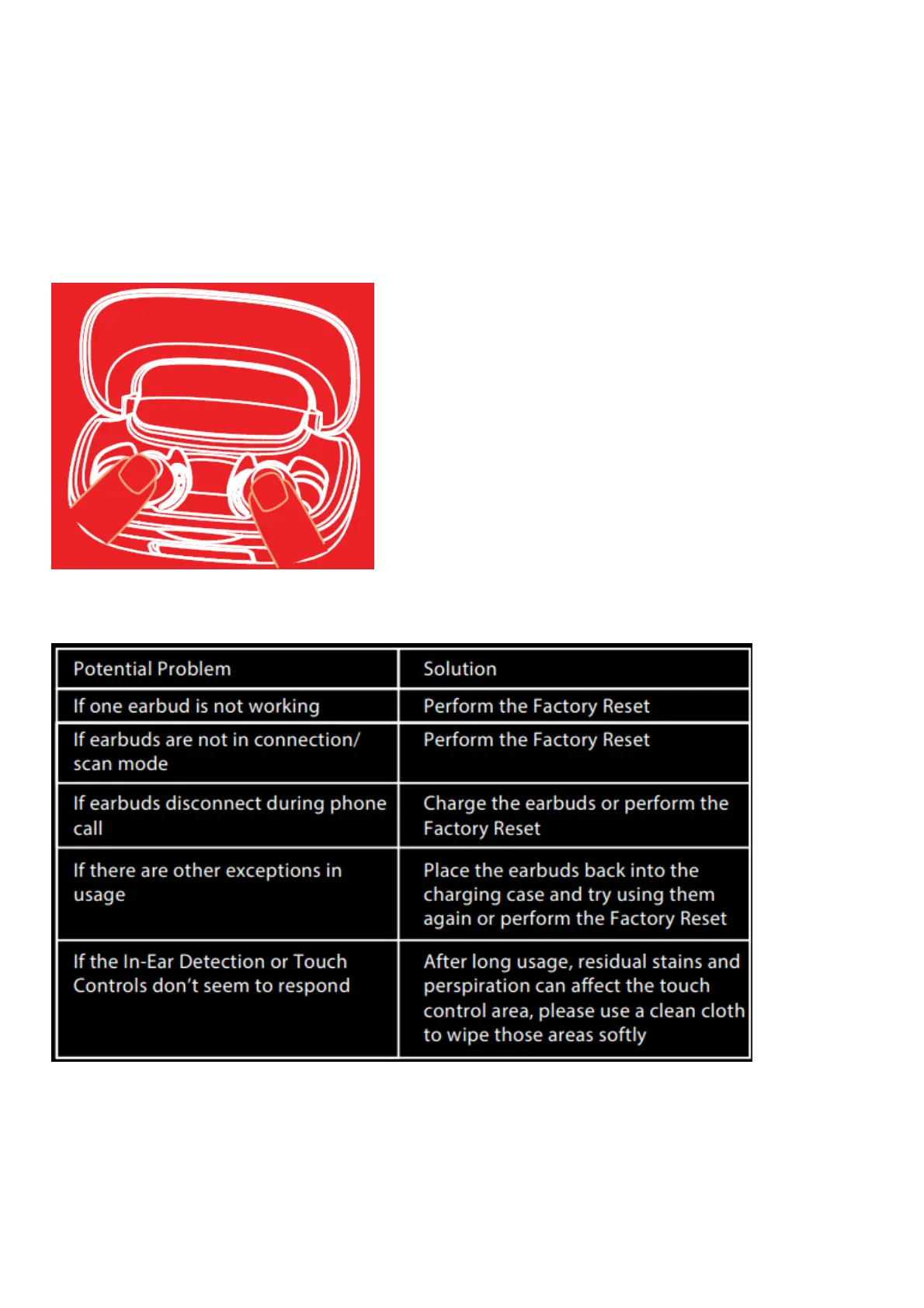
Step 2: Long press the CTC on both earbuds inside the case for up to 10 seconds to do Factory reset, which is
indicated by the flashing of green LED three times
Step 3: Shut the lid of the charging case and then re-open it again
Step 4: Once you take the earbuds out from the charging case, they automatically restart
Step 5: Congratulations! Your Airdopes 621 has been Reset
Troubleshooting



 To Next Page