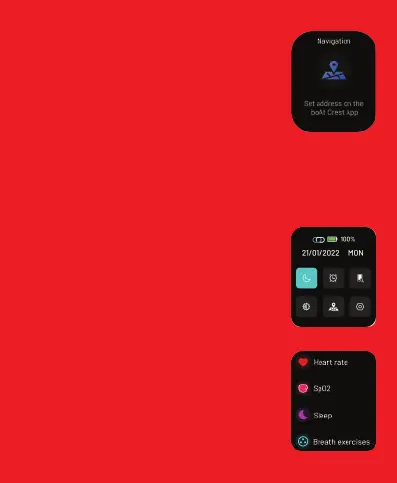
Navigation
Tap on this to start navigating your route. Follow the
steps to use this feature:
• Search your desired destination on the boAt Crest
app.
• Then send navigation instructions to your boAt
smartwatch by clicking on get directions.
• After clicking on it choose the navigate on watch
option.
• Then follow step-by-step instructions on your
smartwatch to reach your destination.
Note: The navigation is not shown in maps instead it is
shown by direction arrows. You can access the last alert
from the watch navigation menu or by swiping left from
the home screen.
• To avoid receiving notifications on your smartwatch
during navigation enable DND mode.
Navigation
SWIPE DOWN FOR THE SHORTCUT MENU
You can access DND, Alarm, Find My Phone,
Brightness, Navigation and Settings
SWIPE LEFT OR RIGHT TO ACCESS ALL DATA
You can access steps, SpO2, heart rate, sleep, QR
tray, navigation, music, and notifications.


 To Next Page