S250 Bobcat Loader
OI-7 Operation & Maintenance Manual
INSTRUMENT PANEL IDENTIFICATION (CONT’D)
Right Panel (Deluxe - With Keyless Start)
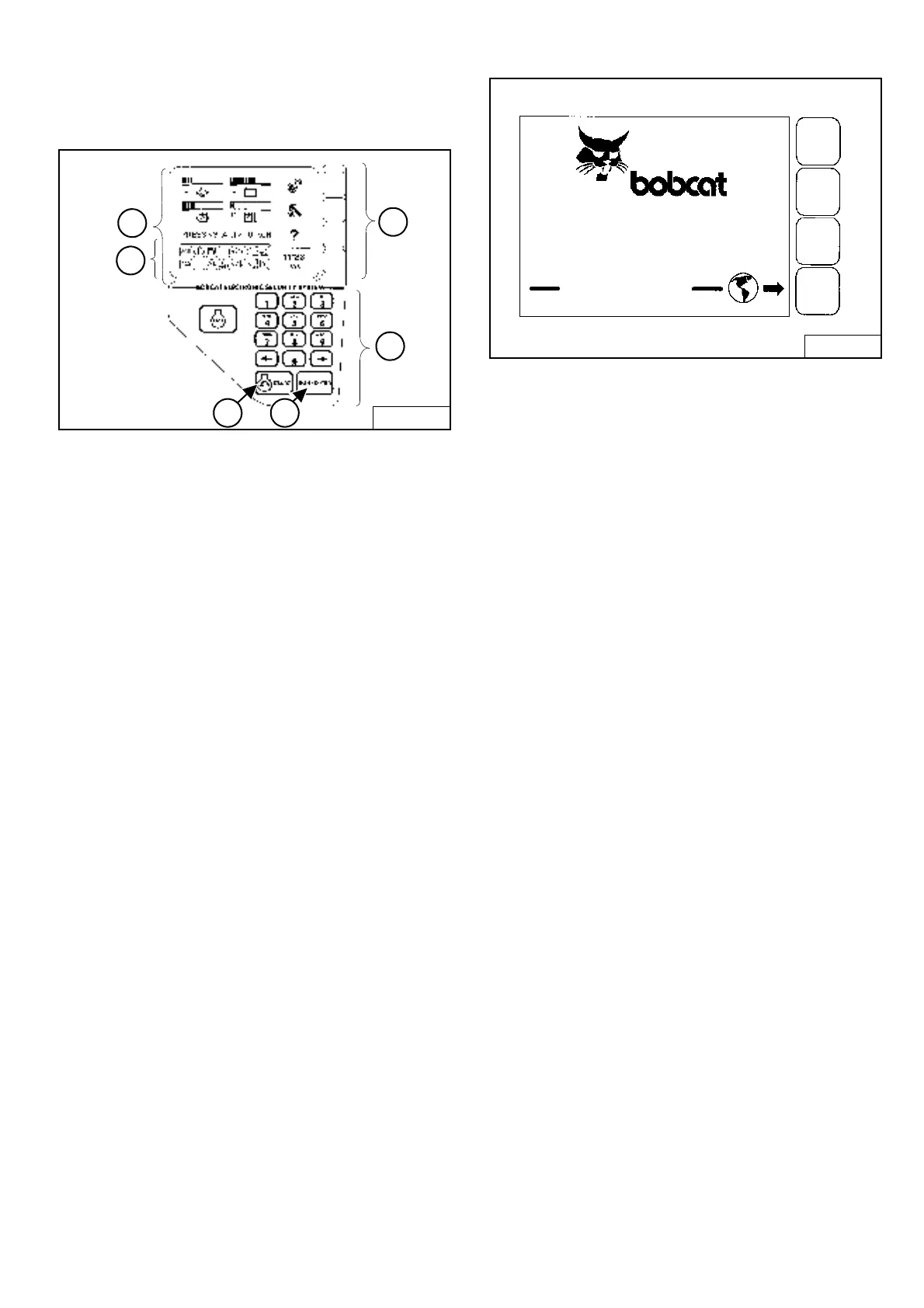
Figure OI-3
The right instrument panel shown [Figure OI-3] is the
Deluxe Panel.
1. Display Panel: The Display Panel is where all system
setup, monitoring, troubleshooting, and error
conditions are displayed.
2. Function Icons: The lower left area of the Deluxe
Panel has the same Icons as the Standard Panel.
These Icons are only visible when the monitoring
system has detected an error.
3. Selection Buttons: The four Selection Buttons allow
you to select items from the Display Panel and scroll
through screens.
4. Keypad: The numeric keypad (Item 4) [Figure OI-3]
has two functions:
To enter a number code (password) to allow starting
the engine (Keyless Start).
To enter a number as directed for further use of the
Display Panel.
Figure OI-4
The first screen you will see on your new loader will be as
shown in [Figure OI-4].
When this screen is on the display you can enter the
password and start the engine or change the Display
Panel setup features.
NOTE: Your new loader (with Deluxe Instrument
Panel) will have a Owner Password. Your
dealer will provide you with this password.
Change the password to one that you will
easily remember to prevent unauthorized use
of your loader. (See Passwords (Deluxe) on
Page SA-10). Keep your password in a safe
place for future needs.
Start Engine: Use the Keypad to enter the numbers
(letters) of your password and press the RUN / ENTER
key (Item 5) [Figure OI-3].
Press and hold the START Button (Item 6) [Figure OI-3]
until the engine starts.
Change Language: Press the Selection Button at the end
of the arrow [Figure OI-4] to go to the next screen.
B-15553B
1
2
6 5
3
4
B-16165
LANGUAGES
ENTER PASSWORD



 To Next Page
 Loading...