Part IV (Thetime settingsandresolutionsettings)
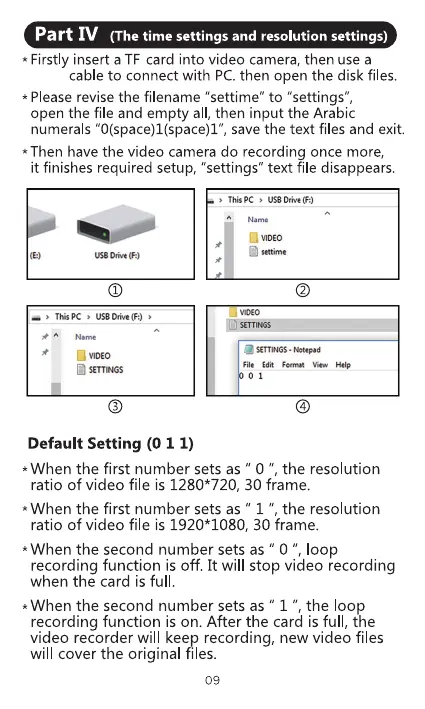
* Firstly insert a TF card into video camera, then use a
cable to connect with PC.then open the disk files.
* Please revise the filename "settime" to "settings",
open the file and empty all, then input the Arabic
numerals "O(space)l(space)l", save the text files and exit.
* Then have the video camera do recording once more,
it finishes required setup, "settings" text file disappears.
use m. ft
Thupc USBDrive(F:)
SETTINGS
ThisPC USBDrive(F:)
A Name
'*tone
SETTNGSNotepad
01
Default Setting (O I I)
*When the first number sets as " O ", the resolution
ratio of video file is 1280* 720, 30 frame.
*When the first number sets as " 1 ", the resolution
ratio of video file is 1920* 1080, 30 frame.
*When the second number sets as " 0 " loop
recording function is off. It will stop video recording
when the card is full
*When the second number sets as " 1 ", the loop
recording function is on. After the card is full, the
video recorder will keep recording, new video files
will cover the original files.
09



 To Next Page