*When the third number sets as " O", the recording
video will not show the timestamp.
*When the third number sets as " 1 ", the recording
video will show the timestamp " YY/MM/DD,
Hour/Minute/Second
How to set the video timestamp?
Please check below:
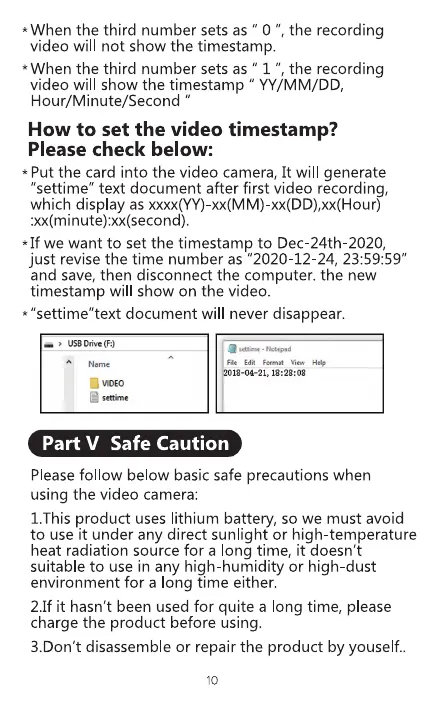
* Put the card into the video camera, It will generate
"settime" text document after first video recording,
which display as xxxx(YY)-xx(MM)-xx(DD),xx(Hour)
:xx(minute):xx(second).
*If we want to set the timestamp to Dec 24th-2020,
just revise the time number as "2020-12-24, 23:59:59"
and save, then disconnect the computer. the new
timestamp will show on the video.
* "settime"text document will never disappear.
USDrive(F:)
a VDEO
• Notepad
File Edit
18-04-21,
Part V Safe Caution
Please fol ow below basic safe precautions when
using the video camera:
I.This product uses lithium battery, so we must avoid
to use it under any direct sunlight or high-temperature
heat radiation source for a long time, it doesn't
suitable to use in any high-humidity or high-dust
environment for a ong time either.
2.1fit hasn't been used for quite a long time, please
charge the product before using.
3.Don't disassemble or repair the product by youself..
10



 To Next Page