Camera Settings
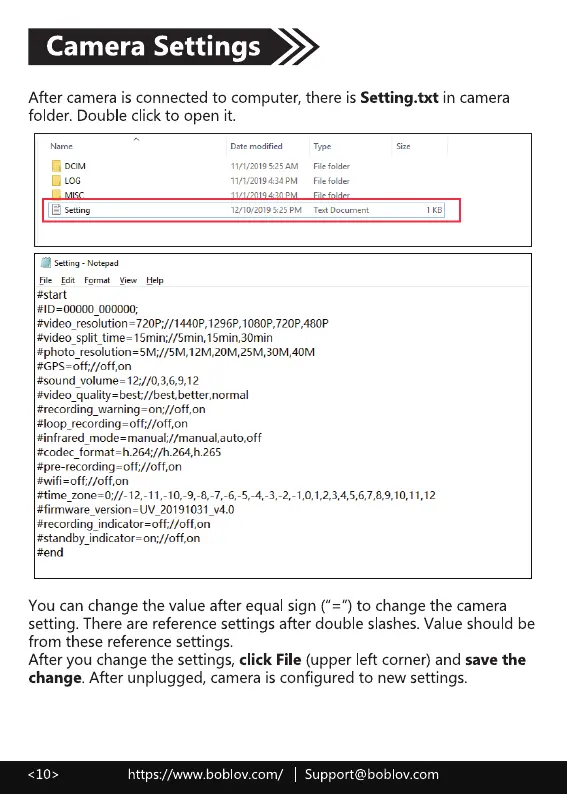
After camera is connected to computer, there is Setting.txt in camera
folder. Double click to open it.
Date
11/1/2019 5:25AM
11/1,'2019U4PM
[A LOG
I Setting
Setting - Notepad
Eile Edit Fermat Help
#start
000000;
Type
File folde
File folder
Text Doc ument
#video 15min;//5min.15min.30min
#GPS=off://off,on
#sound_volume= 12
#video_quality=best;//best.better,normal
#recording_waming=on;//off,on
#loop_recording=off;//off,on
#infrared_mode=manual;//manual,auto,off
#firmware version—UV 20191031 v4.O
#sta nd by_indicator on
#end
You can change the value after equal sign ("z") to change the camera
setting. There are reference settings after double slashes.Value should be
from these reference settings.
After you change the settings, click File (upper left corner) and save the
change. After unplugged, camera is configured to new settings.
https://www.boblov.com/ I Support@boblov.com



 To Next Page