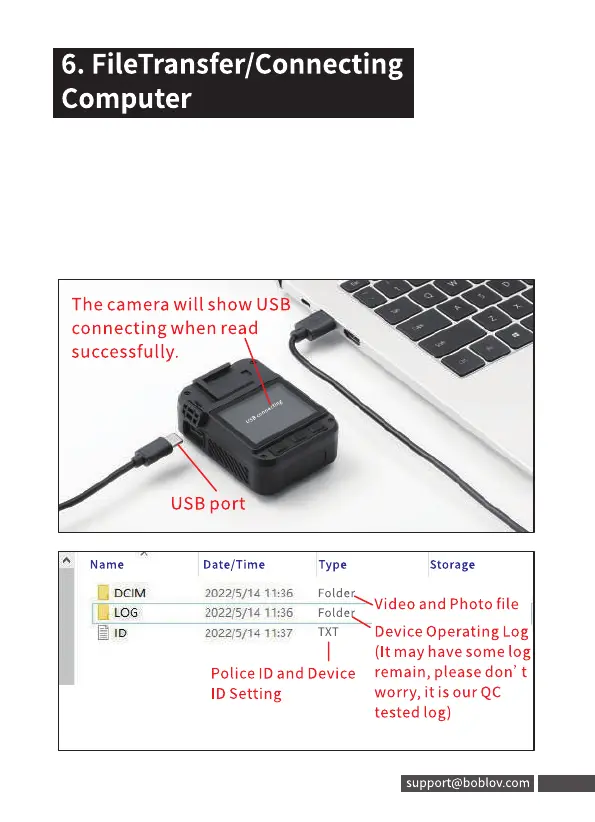
Connect to the computer by the USB cable attached.
Then enter USB disk mode.
If turn on"Password Protection"in the menu,need to input
the password you set first(the default password is 000000)
then could revie word elete the files in the computer).
16
6. FileTransfer/Connecting
Computer
Connect to the computer by the USB cable attached.
Then enter USB disk mode.
If turn on"Password Protection"in the menu,need to input
the password you set first (the default password is 000000)
then could revie word elete the files in the computer).
The camera will show USS
connecting when read
successfully.
Name
LOG
USB port
Date/ Time
2022/5/1d 11:36
2022/5/14 11:36
2022/5/14 11:37
Type
Folder
Folde
TXT
Police ID and Device
ID Setting
Storage
Video and Photo file
Device Operating Log
(It may have some log
remain, please don' t
worry, it is our QC
tested log)
support@boblov.com 16



 To Next Page