www.boblov.com
Note:
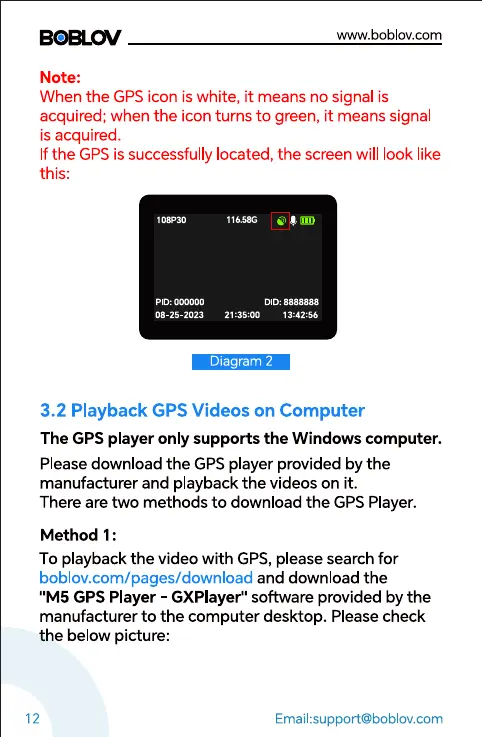
When the GPS icon is white, it means no signal is
acquired; when the icon turns to green, it means signal
is acquired.
If the GPS is successfully located, the screen will look like
this:
PID: 000000
08-25-2023
116.586
DID: 8888888
21:35:00 13:42:56
Diagram 2
3.2 Playback GPS Videos on Computer
The GPS player only supports the Windows computer.
Please download the GPS player provided by the
manufacturer and playback the videos on it.
There are two methods to download the GPS Player.
Method 1 :
To playback the video with GPS, please search for
boblov.com/pages/download and download the
"M5 GPS Player - GXPlayer" software provided by the
manufacturer to the computer desktop. Please check
the below picture:
12
Email:support@boblov.com



 To Next Page