www.boblov.com
• Part 3 GPSFunction(Optional)
3.1 How to Enable GPS Option?
If turn on the "GPS" option during video recording, the
route information will be collected, and using our
provided GPS player could playback the video with the
track information.
Short press the menu button to enter menu.
Short presse / / button to get the "GPS'
option and turn it to "On" and confirm.
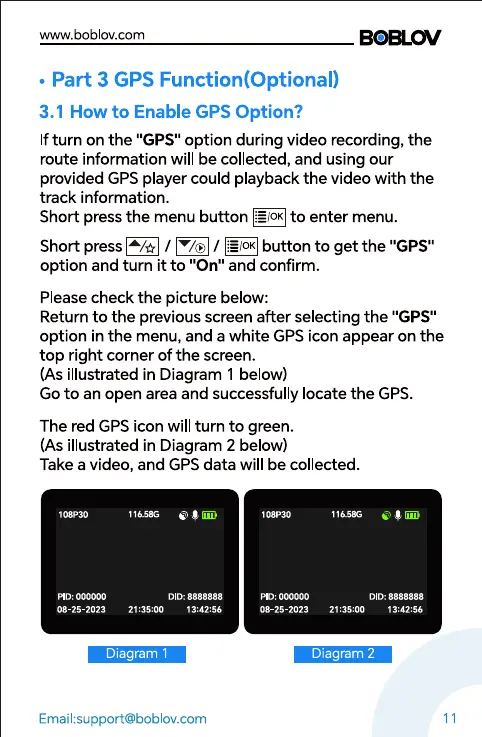
Please check the picture below:
Return to the previous screen after selecting the "GPS"
option in the menu, and a white GPS icon appear on the
top right corner of the screen.
(As illustrated in Diagram 1 below)
Go to an open area and successfully locate the GPS.
The red GPS icon will turn to green.
(As illustrated in Diagram 2 below)
Take a video, and GPS data will be collected.
108P30
PID: 000000
08-25-2023
116.586
DID: 8888888
21:35:00
108P30
000000
116S8G
DID: 8888888
Diagram 1
Email:support@boblov.com
08-25-2023 21:35:00 13:42:56
Diagram 2
11



 To Next Page