www.boblov.com
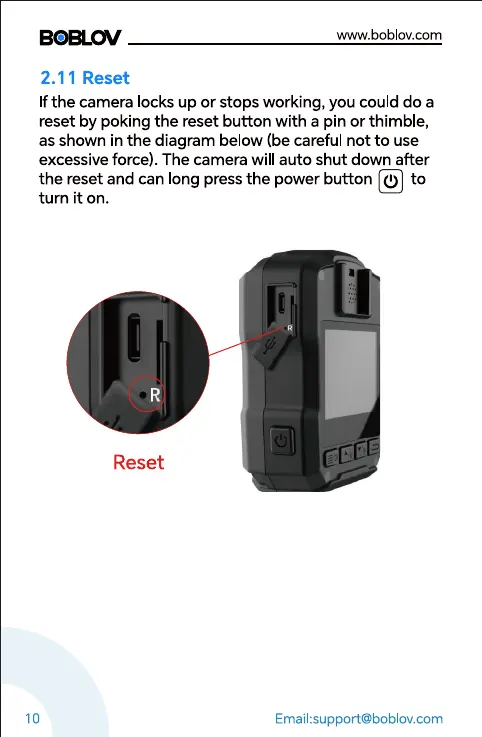
2.11 Reset
If the camera locks up or stops working, you could do a
reset by poking the reset button with a pin or thimble,
as shown in the diagram below (be careful not to use
excessive force). The camera will auto shut down after
the reset and can long pressthe power button (I) to
turn it on.
Reset
10
Email:support@boblov.com



 To Next Page