www.boblov.com
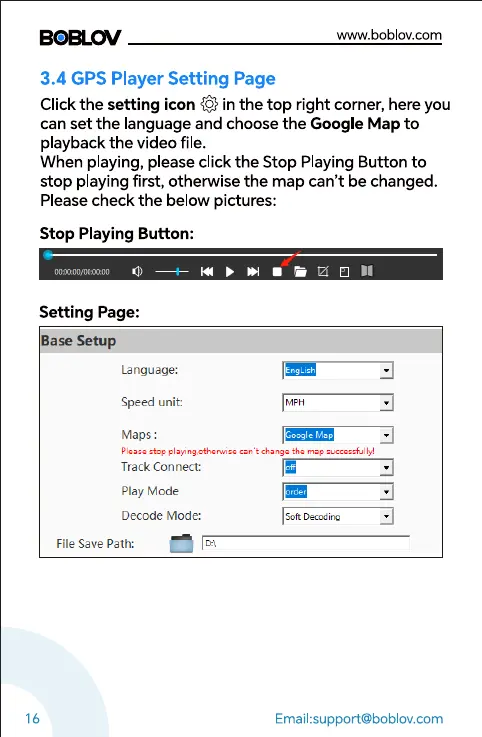
3.4 GPS Player Setting Page
Clickthe setting icon @ in the top right corner,hereyou
can set the language and choose the Google Map to
playback the video file.
When playing, please click the Stop Playing Button to
stop playing first, otherwise the map can't be changed.
Please check the below pictures:
Stop Playing Button:
Setting Page:
Base Setup
Language:
Speed unit:
Maps :
Please Stop
Track Connect:
Play Mode
Decode Mode:
File Save Path:
16
MPH
Email:support@boblov.com



 To Next Page