www.boblov.com
3. If you choose to change the camera password, you
need to verify the old password ( If the new camera,
need to enter the default password).
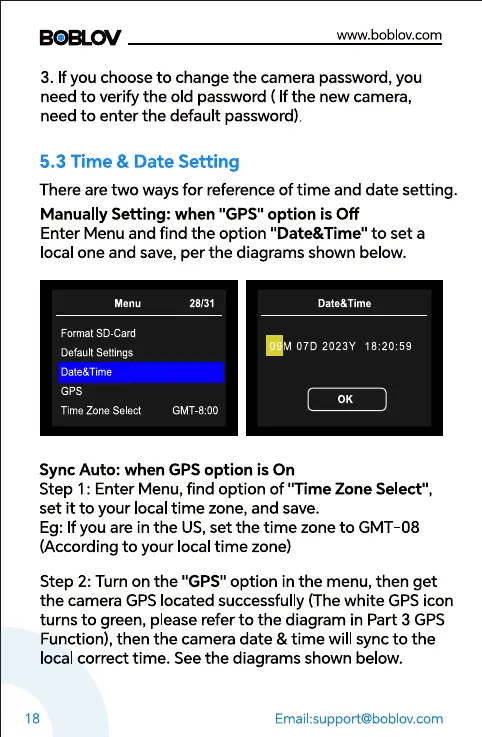
5.3 Time & Date Setting
There are two ways for reference of time and date setting.
Manually Setting: when "GPS" option is Off
Enter Menu and find the option "Date&Time" to set a
local one and save, per the diagrams shown below.
Menu
Format SD-Card
Default Settings
ate&Time
GPS
Time Zone Select
28131
GMT-8:OO
Date&Time
M 07D 2023Y
0K
18
Sync Auto: when GPS option is On
Step I: Enter Menu, find option of "Time Zone Select",
set it to your local time zone, and save.
Eg: If you are in the US,set the time zone to GMT-08
(According to your local time zone)
Step 2: Turn on the "GPS" option in the menu, then get
the camera GPS located successfully (The white GPS icon
turns to green, please refer to the diagram in Part 3 GPS
Function), then the camera date & time will sync to the
local correct time. See the diagrams shown below.
Email:support@boblov.com



 To Next Page