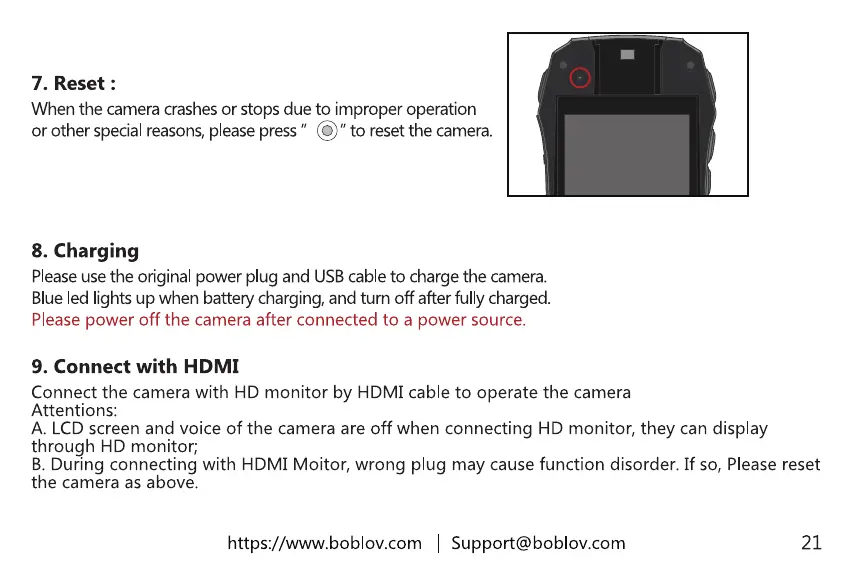
7. Reset :
When the camera crashesor stops due to improper operation
or otherspecialreasons,pleasepress" C)" to resetthecamera.
8. Charging
Pleaseuse the original power plug and USBcableto charge the camera.
Blue led lights up when battery charging, and turn off after fully charged.
Please power off the camera after connected to a power source.
9. Connect with HDMI
Connect the camera with HD monitor by HDMI cable to operate the camera
Attentions:
A. LCD screen and voice of the camera are off when connecting HD monitor, they can display
through HD monitor;
B. During connecting with HDMI Moitor, wrong plug may cause function disorder. If so, Please reset
the camera as above.
https://www.boblov.com I Support@boblov.com
21



 To Next Page