6
7
BOBLOV
https://www.boblov.com/ I Email: support@boblov.com
6. BASIC FUNCTION OPERATION
6.1. Power On/ Power Off
Long press " C)"Button for 3 seconds to turn on camera,
the green light is on; when camera is powered on, short
pressthe power button to turn the screen off/on, or long
pressto power off the device.
1080P30 28.8G
2020-03-16 16:23:19
00
8888888 -
0000-29
o
1080P30
-o
28.86
Dl :8888888
2020-03-16 16:21:19
Monitoring StatusRecording Status
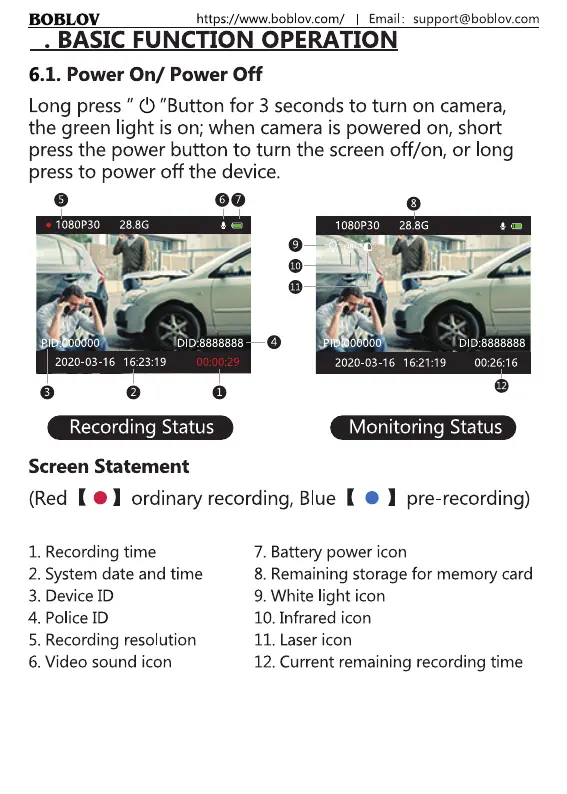
Screen Statement
(Red ( 01 ordinary recording, Blue ( I pre recording)
1. Recording time
2. Systemdate and time
3. Device ID
4. Police ID
5. Recording resolution
6. Video sound icon
7. Battery power icon
8. Remaining storage for memory card
9. White light icon
10. Infrared icon
II. Laser icon
12. Current remaining recording time
7



 To Next Page