7
8
12
BOBLOV
https://www.boblov.com/ I Email: support@boblov.com
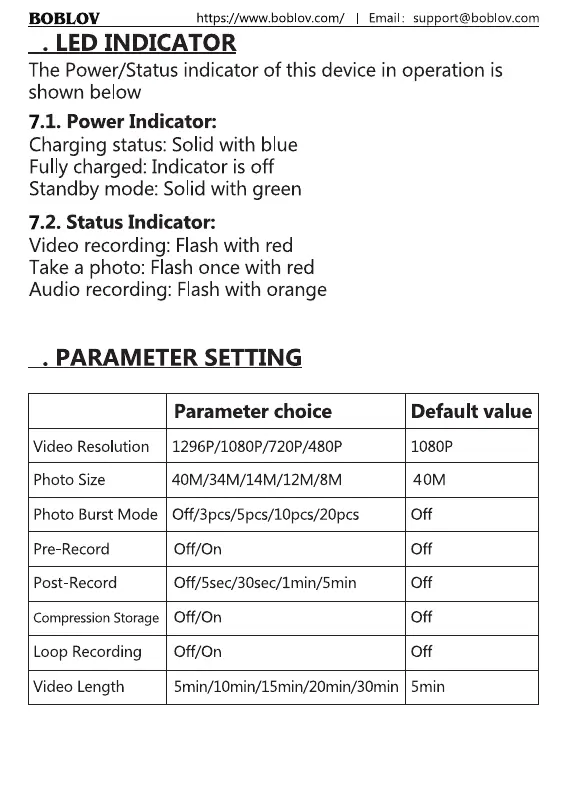
7. LED INDICATOR
The Power/Status indicator of this device in operation is
shown below
7.1. Power Indicator:
Charging status: Solid with blue
Fullycharged: Indicator is off
Standby mode: Solid with green
7.2. Status Indicator:
Video recording: Flash with red
Take a photo: Flashonce with red
Audio recording: Flashwith orange
8. PARAMETER SETTING
Video Resolution
Photo Size
Photo Burst Mode
Pre-Record
Post-Record
Compression Storage
Loop Recording
Video Length
Parameter choice
1296P/1080P/720P/480P
40M/34M/14M/12M/8M
Off/3pcs/5pcs/10pcs/20pcs
Off/On
Off/5sec/30sec/1min/5min
Off/On
Off/On
Default value
1080P
40M
Off
Off
Off
Off
Off
5min/IOmin/15min/20min/30min 5min
12



 To Next Page