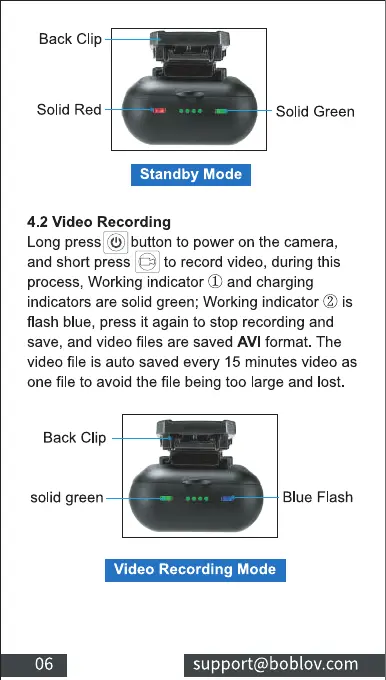
Back Clip
Solid Red
Solid Green
Standby Mode
4.2 Video Recording
Long press@button topoweronthecamera,
and short press to record video, during this
process, Working indicator CDand charging
indicators are solid green; Working indicator (2)is
flash blue, press it again to stop recording and
save, and video files are saved AVI format. The
video file is auto saved every 15 minutes video as
one file to avoid the file being too large and lost.
Back Clip
solid green
06
Blue Flash
Video Recording Mode
support@boblov.com



 To Next Page