cleaning
charging
Oops! I feel there’s something funny
going on with my:
Edge Sensors
Touch Sensors
Left Wheel
Main Brush
Obstacle Sensors
Dustbin
Right Wheel
Mainboard
cleaning
charging
Oops! I feel there’s something funny
going on with my:
Edge Sensors
Touch Sensors
Left Wheel
Main Brush
Obstacle Sensors
Dustbin
Right Wheel
Mainboard
18 19
3 4
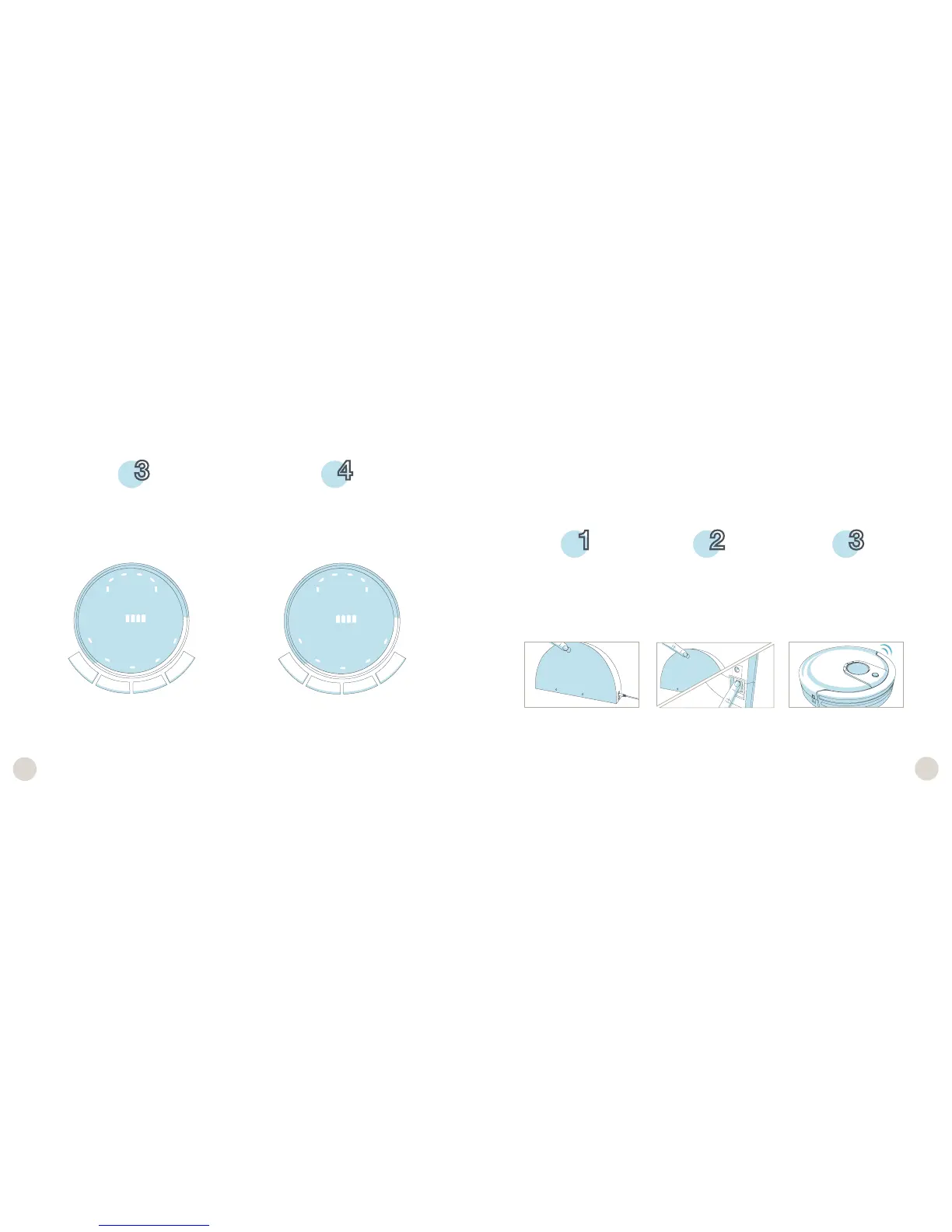
When Junior is charging, the battery
bars on his display screen will flash and
the word “Charging” will appear.
When Junior has fully charged, the bat-
tery bars will remain still and the word
“Charging” will disappear.
Junior automatically returns to his charging station when his battery reaches 15%.
If Junior has trouble finding his station, it likely needs to be synced.
To sync the charging station:
Sync Junior’s Charging Station and Remote
While the station is
plugged in, hold down
the SYNC button on the
back of it.
Junior will chirp twice to
let you know the sync was
successful.
While still holding down
the SYNC button, flip Ju-
nior’s power switch ON.
1 2 3














 To Next Page