UltraVision’s First Clean
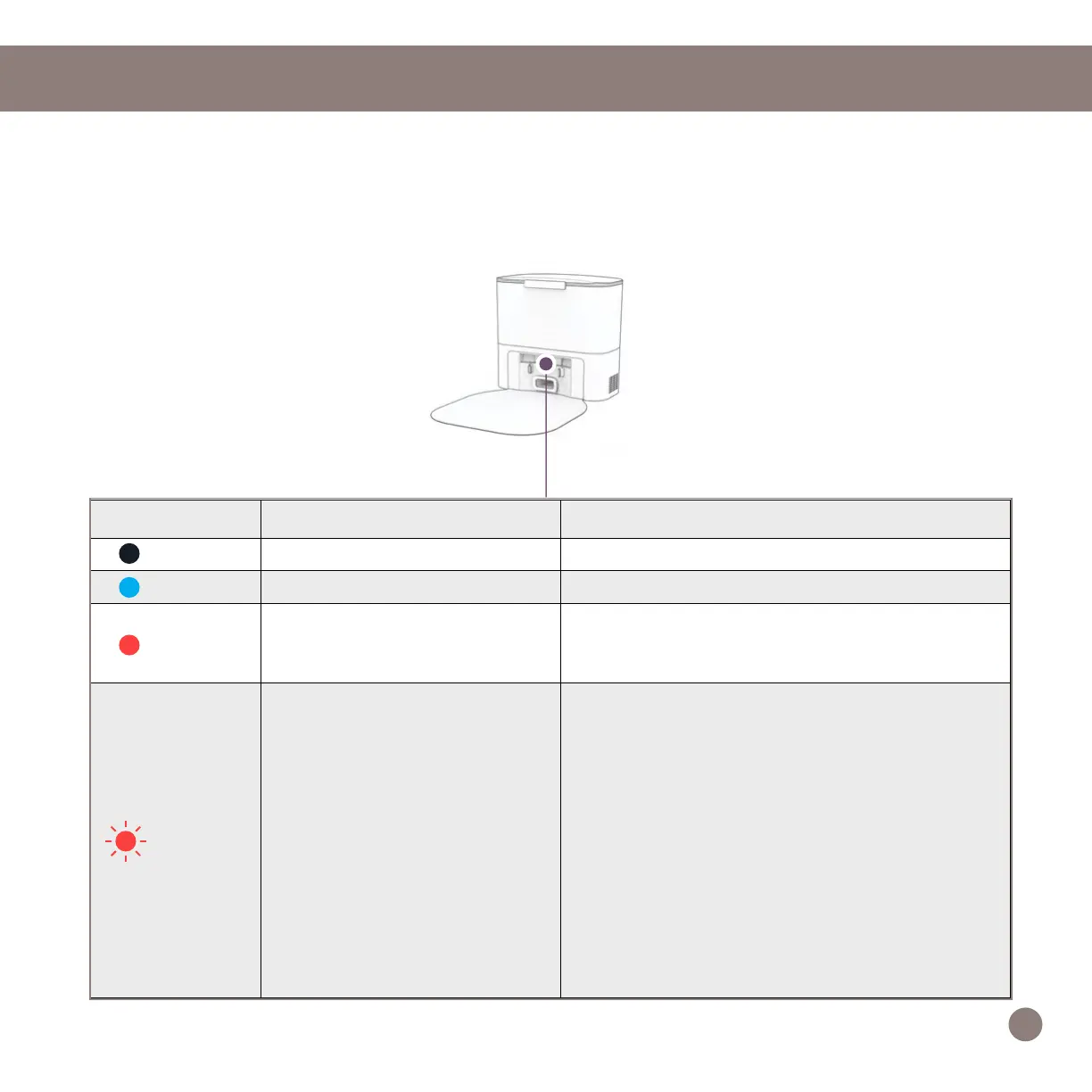
Self-emptying Charging Station Indicator
Light Status Station Status What to do
Off Powered OFF Plug into the outlet.
Solid Blue Ready Send UltraVision to charge / self-empty.
Solid Red
Dust Bag not detected / Dust
Bag’s opening is closed.
Insert Dust Bag into the slide and push the tab
all the way down to open and line up with the air
pathway.
Blinking
Red
Congestion in air pathway.
• Remove and open the dustbin to clean and re-
move heavy congestion.
• Clean the Disposal Vent Aperture on the back
of the dustbin. Check the ap for free move-
ment.
• Place UltraVision on the station and press
‘Charge’ to initiate a self-empty.
If the airpathway does not clear:
• Unplug the station, turn the station around to
open the Air Pathway Access Window and re-
move any congestion from the air pathway.
• Place UltraVision on the station again and
press ‘Charge’ to initiate a self-empty.
When UltraVision nishes docking on his charging station, and there is no station error, the indicator
light on the station turns off.
14














 To Next Page