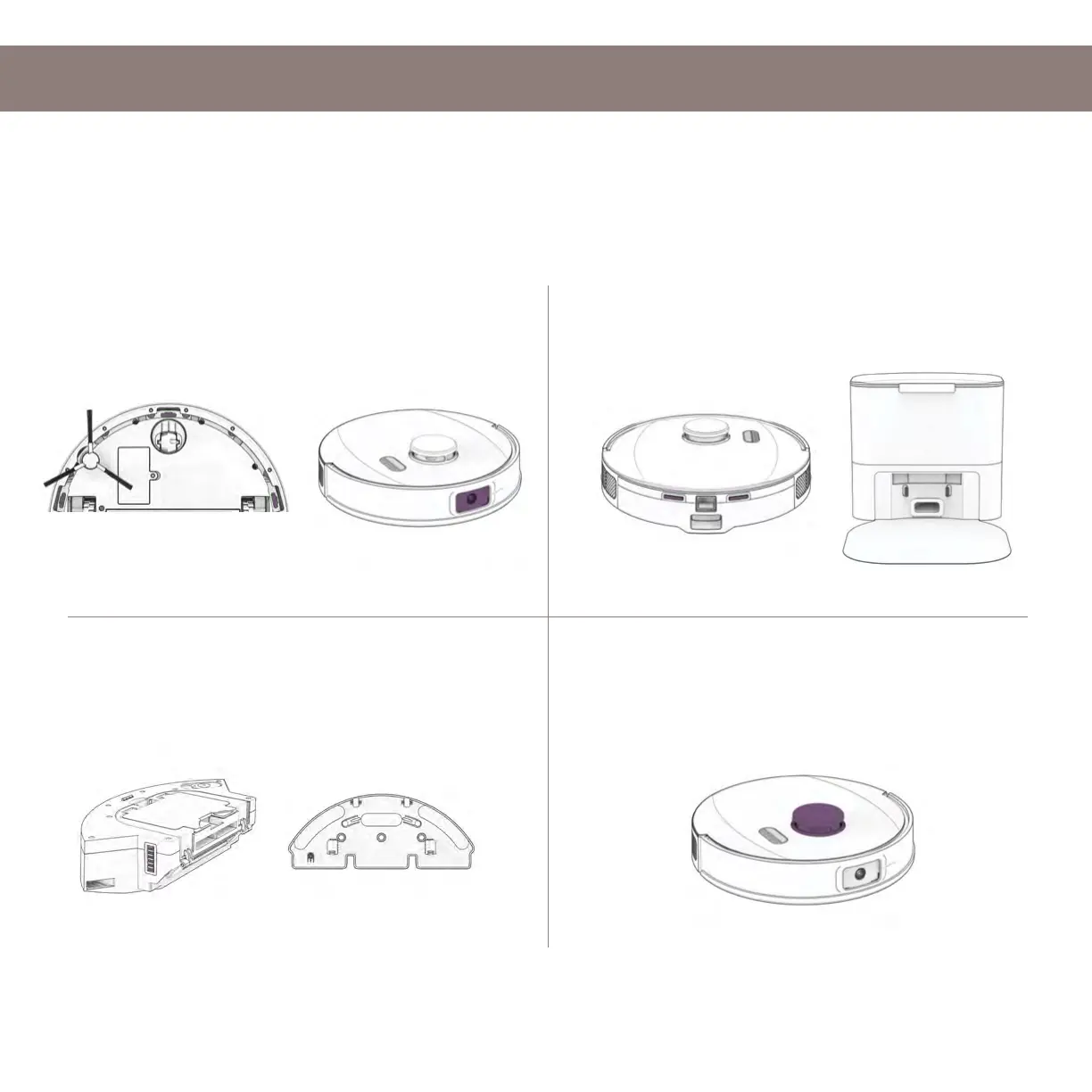
Sensors
1.
Wipe the camera, edge sensors, and
obtacle sensors.
2. Wipe the charging nodes on UltraVision
and his station.
3. Wipe the metal connectors on the
dustbin and wet mop attachment.
4. Wipe the top and the area around the
SLAM LiDAR.
Use a soft cotton cloth to wipe the sensors.
Maintenance
Important Note: UltraVision’s SLAM LiDAR is a sensitive sensor. Do not apply force, insert objects,
or adjust the SLAM LiDAR. Do not sit on UltraVision or place items on top of him.














 To Next Page