SH042-1 User Manual for BodiTrak LT V1.5, 25 Jan 2019
5
BodiTrak Technical Support: 800-847-3157
4 INSTALLATION
4.1 System Requirements
i. Tablet with Android 6.0 (OS) or greater
4.2 System Components Included
i. Sensor mat with USB cable and built-in Wi-Fi or
Sensor mat with micro USB cable
ii. Optional DataPort wireless module
iii. Quick Set Up Guide in PDF
User Manual in PDF
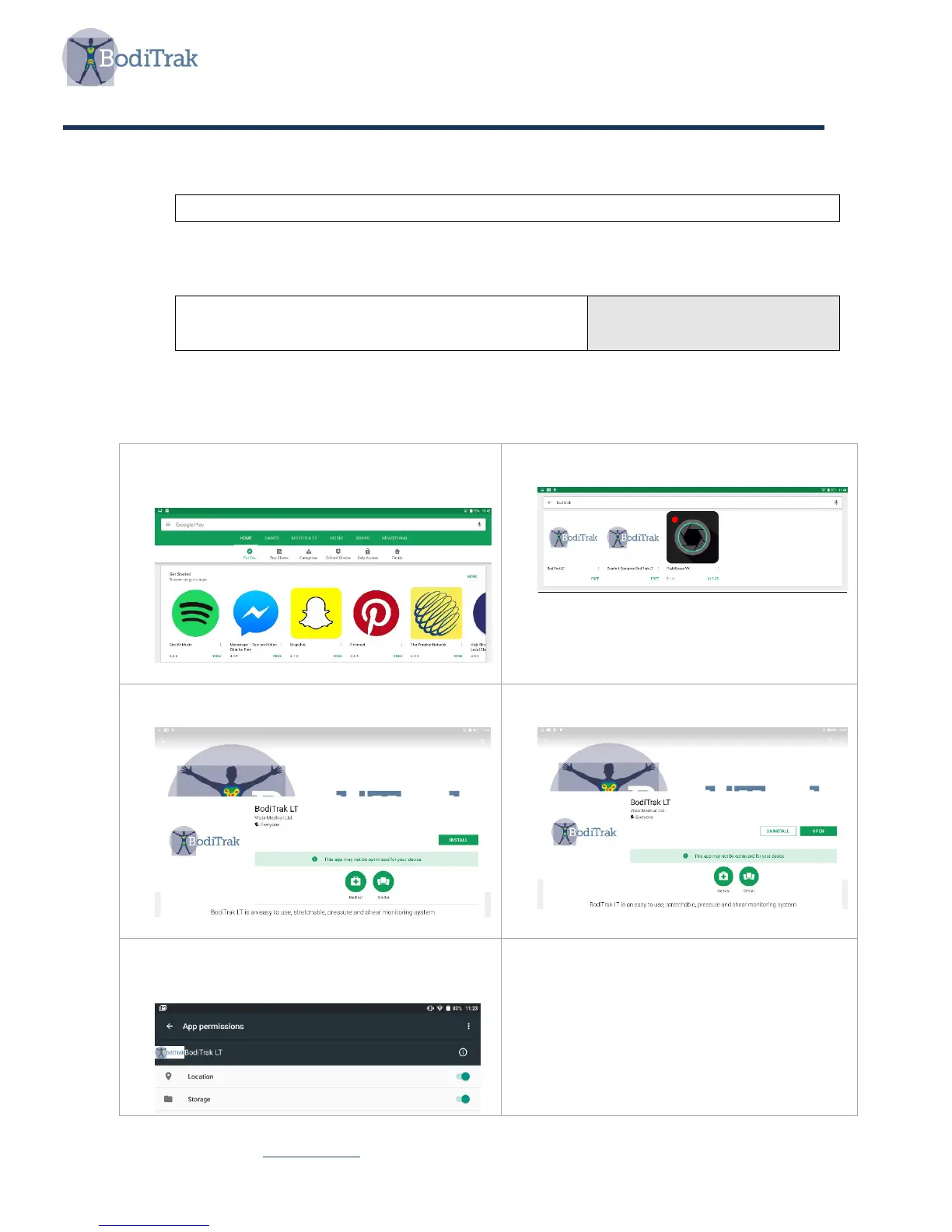
4.3 Software Installation Instructions
1. Using the tablet go to Google Play Store
2. In the search box type: BodiTrak
3. Choose BodiTrak LT
4. Tap Install button
5. Tap Open button
6. If prompted for permissions, enable
location and storage



 To Next Page