EasyManua.ls Logo

Body Champ BRB2866 - User Manual

Body Champ BRB2866
24 pages
Print Icon
To Next Page IconTo Next Page
Loading...
This product is intended for indoor, home use only and is not to be used in a commercial setting.
BRB3785 BRB2866
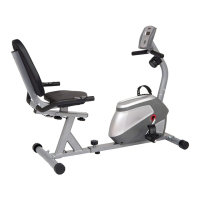
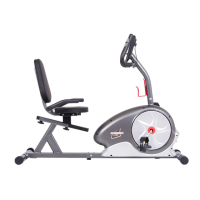
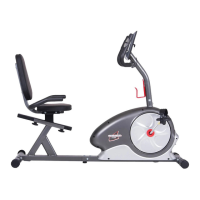
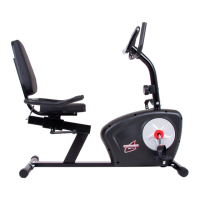
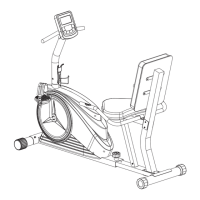
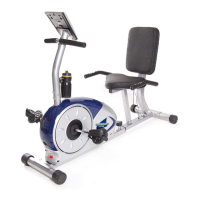
MAGNETIC RECUMBENT BIKE

Questions and Answers

  • J
    Jessica BowmanAug 9, 2025
    What to do if the Body Champ Exercise Bike computer display is blank?
    • M
      Mr. Devin CardenasAug 9, 2025
      If your Body Champ Exercise Bike's computer display is blank, and not showing any data, check the following: * Make sure all sensor wires are properly connected and undamaged. * Ensure the AC Adapter or Batteries are correctly plugged in or fully charged. * Refer to your product manual to confirm whether your model uses an AC Adapter or batteries.
  • G
    Glenn MunozAug 18, 2025
    What to do if the Body Champ Exercise Bike is not showing calories, distance or time?
    • C
      Craig HunterAug 18, 2025
      If your Body Champ Exercise Bike computer isn't displaying calories, distance, or time functions (or the readings seem inaccurate), ensure all computer sensor wires are properly connected and undamaged. You may need to consult the installation/assembly directions in your manual for the sensor wires.
  • J
    Joseph WardAug 28, 2025
    How to fix hand pulse signal issues on a Body Champ BRB2866?
    • B
      barbarafrostAug 28, 2025
      If the computer on your Body Champ Exercise Bike is not picking up your hand pulse signal, or if you are getting inaccurate readings, try the following: 1. Slightly moisten your palms with water to help the sensors detect a pulse signal. 2. Avoid gripping the sensors too tightly; moderate pressure is sufficient. 3. Remove any rings or jewelry that could cause interference. 4. Check that all pulse sensor wires are properly connected and undamaged. 5. Refer to the installation/assembly instructions in your manual for the pulse sensor wires, if necessary.

Summary

Safety Warnings and Guidelines

General Safety Precautions

Key safety guidelines for using the exercise equipment, including clothing, securing parts, and stopping.

General Information

Safety

Read and understand safety instructions before assembly and use. Keep children away.

Assembly STEP 1

Front Stabilizer Assembly

Attach the Front Stabilizer to the Main Frame using carriage bolts, arc washers, and cap nuts.

Rear Stabilizer Assembly

Attach the Rear Stabilizer to the Main Frame using carriage bolts, arc washers, and cap nuts.

Assembly STEP 2

Tension Controller Cable & Center Post Assembly

Connect wires and attach the Center Post to the Main Frame using bolts and arc washers.

Pedal Assembly

Attach pedal belts to pedals and screw pedals onto the cranks clockwise/counter-clockwise.

Assembly STEP 3

Adjustable Bar Assembly

Align and secure the Adjustable Bar Connection Tube to the Adjustable Bar with bolts and washers.

Seat Cushion Assembly

Attach the Seat Cushion to the horizontal base of the Cushion Frame using bolts.

Assembly STEP 4

Cushion Frame Assembly

Attach the Cushion Frame to the Main Frame and attach the Bumper to the Main Frame.

Assembly STEP 5

Front Handle Bar Assembly

Attach the Front Handle Bar to the Center Post using bolts, arc washers, and nylon nuts.

Rear Handle Bar Assembly

Attach the Rear Handle Bar to the Cushion Frame using bolts and arc washers.

Assembly STEP 6

Backrest Cushion Assembly

Attach the Backrest Cushion to the Cushion Frame using bolts.

Assembly STEP 7

Computer Operation

Safety and Maintenance

Troubleshooting

Body Champ BRB2866 Specifications

General IconGeneral
Resistance SystemMagnetic
DisplayLCD
Weight Capacity250 lbs
Assembly RequiredYes
SeatAdjustable
Drive SystemBelt
TypeUpright
Dimensions39" L x 22" W x 51" H
Display FunctionsTime, Speed, Distance, Calories, Pulse
Warranty1 Year

Related product manuals