EasyManua.ls Logo

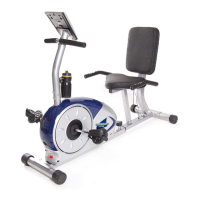
Body Champ BRB5872 User Manual

Body Champ BRB5872
24 pages
To Next Page IconTo Next Page
Page #1 background imageLoading...
Page #1 background image
This product is intended for indoor, home use only and is not to be used in a commercial setting.
BRB5872/BRB5688

Questions and Answers:

Body Champ BRB5872 Specifications

General IconGeneral
Resistance SystemMagnetic
Resistance Levels8
Display TypeLCD
Adjustable SeatYes
Transport WheelsYes
TypeUpright
Display FunctionsTime, Speed, Distance, Calories, Pulse
PedalsWeighted Pedals with Straps
Weight48 lbs

Summary

Safety and Warning Labels

Part Listing

Component Identification

A list of all parts with corresponding numbers for identification.

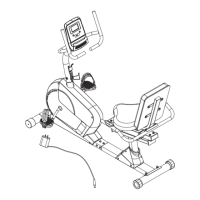
Exploded View

Exploded Diagram and Part Reference

Visual guide showing part placement and numerical references.

Hardware and Tool List

Assembly STEP 1

Attaching Stabilizers

Instructions for attaching the front and rear stabilizers to the bike frame.

Connecting Main and Bottom Frames

Steps to connect the main frame to the bottom frame securely.

Assembly STEP 2

Installing Adjustable Bar and Cushion Frame

Guide for sliding the adjustable bar and attaching the cushion frame.

Attaching Rear Handle Bars

Instructions for securing the left and right rear handle bars.

Assembly STEP 3

Connecting Monitor Wires

Steps for connecting the monitor wires for display functionality.

Attaching Center Post

Instructions for attaching the center post to the main frame.

Assembly STEP 4

Attaching Front Handle Bar

Steps to attach the front handle bar to the center post.

Connecting Monitor and Hand Pulse Wires

Guide for connecting monitor display and hand pulse sensor wires.

Attaching Water Bottle Holder

Instructions for mounting the water bottle holder.

Assembly STEP 5

Securing Pedals to Cranks

Steps for attaching the left and right pedals to their respective cranks.

Attaching Seat and Backrest Cushions

Instructions for mounting the seat and backrest cushions.

Computer Operation Overview

Related product manuals