Drawing 15
H.R.C. Mode
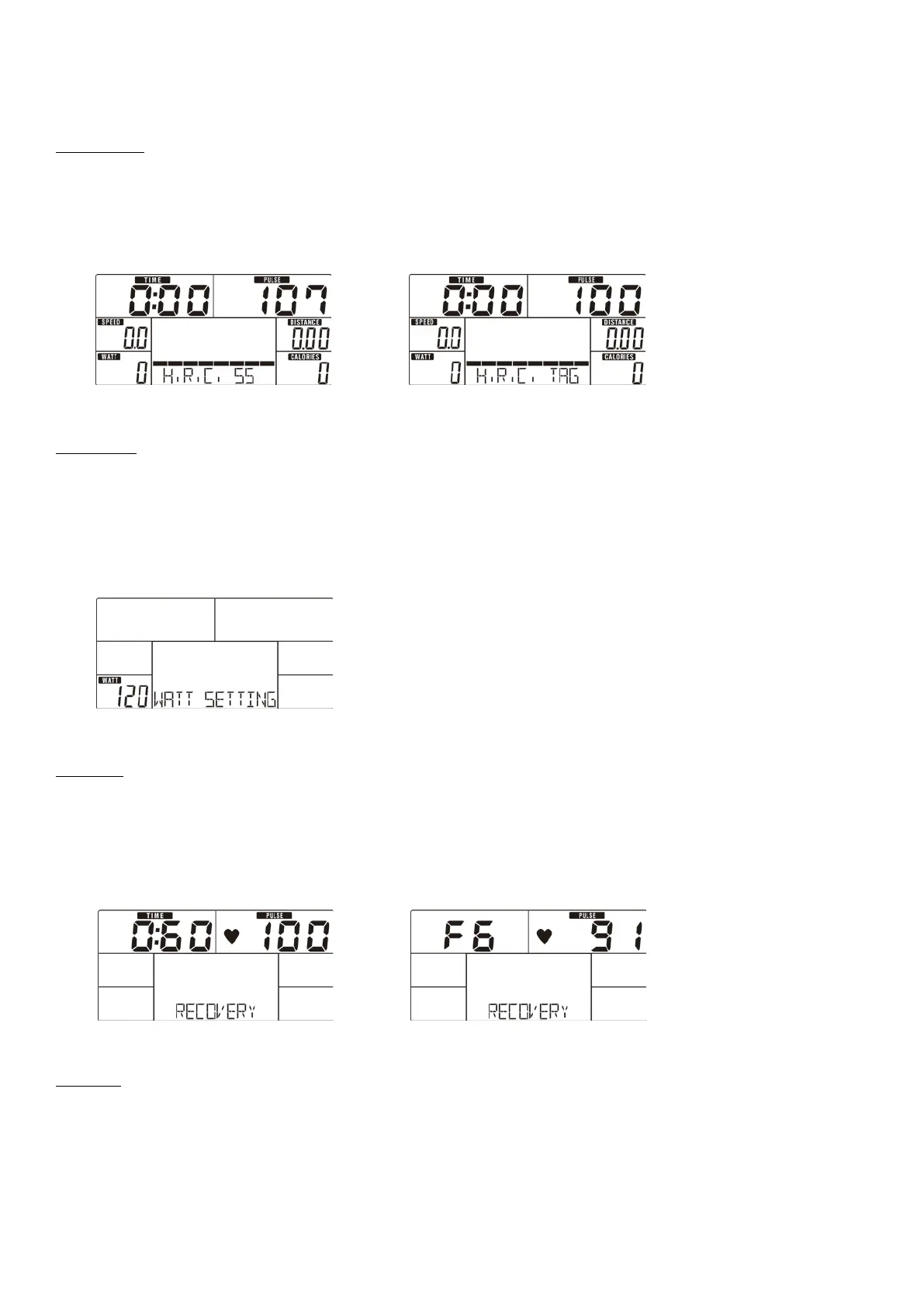
1. Use UP or DOWN (Encoder) to select workout program, choose H.R.C. and press MODE / ENTER to get into.
2. Use UP or DOWN (Encoder) to select 55% (Drawing 16).75%.90% or TAG (TARGET H.R.) (default : 100, Drawing 17).
3. Use UP or DOWN (Encoder) to preset workout TIME.
4. Press START/STOP key to start or stop workout. Press RESET to reverse to main menu.
Drawing 16 Drawing 17
Watt Mode
1. Use UP or DOWN (Encoder) to select workout program, choose WATT and press MODE / ENTER to get into.
2. Use UP or DOWN (Encoder) to preset WATT target. (default: 120, Drawing 18)
3. Use UP or DOWN (Encoder) to preset TIME.
4. Press START/STOP key to start workout. Use UP or DOWN (Encoder) to adjust Watt level.
5. Press START/STOP key to pause workout. Press RESET to reverse to main menu.
Drawing 18
RECOVERY
After exercising for a period, keep holding on hand grips or wearing chest strap and press RECOVERY key. All function display will
stop except “TIME” starts counting down from 00:60 to 00:00 (Drawing 19). Screen will display your heart rate recovery status
with the F1, F2…. to F6. F1 is the best, F6 is the worst (Drawing 20). User may keep exercising to improve the heart rate
recovery status. (Press the RECOVERY button again to return the main display.)
Drawing 19 Drawing 20
BODY FAT
1. In STOP mode, press the BODY FAT key to start body fat measurement (Drawing 21).
2. During measuring, users have to hold both hands on the hand grips. And the LCD will display “= ” “= = ” (Drawing 22)for 8
seconds until computer finish measuring.
3. LCD will display BODY FAT advice symbol, BODY FAT percentage (Drawing 23), BMI (Drawing 24) for 30 seconds.
4. Error message:


 To Next Page