PC-POD-CP-012-v01
PC-POD-CP-012-v01 Printed copies are not controlled. Page 10 of 11
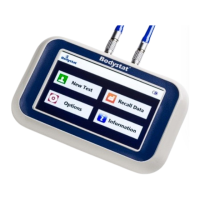
10.2.2 Recall Data will appear on screen, release button.
10.2.3 Select Test Number Press ← to select test number.
=
10.2.4 Input data is displayed first, followed by output data.
10.2.5 To exit from this program, switch unit OFF.
10.3 Exporting data from device
10.3.1 Switch Quadscan ON. The LCD screen should read Test Number = X.
10.3.2 On laptop 2, open “Quadscan” software.
NOTE: If prompted, enter password “12345” and communications port “7”.
10.3.3 On top menu bar, click “blue screen with red down arrow” symbol to
download data.
10.3.4 Participant files will appear; select data to be viewed.
10.3.5 Click “Print Preview” to access a drop-down menu.
10.3.6 Click “Summary” to access client’s “Summary Results”.
11. Safety, Care and Maintenance
11.1 Safety
11.1.1 Do not connect QuadScan device to participants with active implanted
medical devices, i.e. cardiac pacemakers, defibrillators or patients
connected to electronic life support devices.
11.1.2 Do not connect QuadScan device to participants undergoing external
defibrillation.
11.1.3 Do not use or operate device near strong electromagnetic fields or water.
11.1.4 Computers and other electrical equipment can cause interference.
11.1.5 Only use QuadScan Electrodes.
11.1.6 Avoid placing an electrode on an irritated skin site.
11.1.7 Do not cut electrode.
11.1.8 Do not use extra gel with solid gel electrodes.
11.1.9 Do not leave electrodes attached to skin for longer than 1 hour.
11.1.10 Use only cable leads supplied by QuadScan.
11.1.11 Do not connect alligator clips to patient’s skin.
11.1.12 Do not disassemble unit.
11.2 Care
11.2.1 Care of the product:
11.2.1.1 Unit should be periodically wiped with a clean damp cloth.


 To Next Page