Installation manual BMG for Creality CR-10 V1.0 7
Since the BMG Extruder uses a
gearing the rotation direction of the
motor needs to be revered.
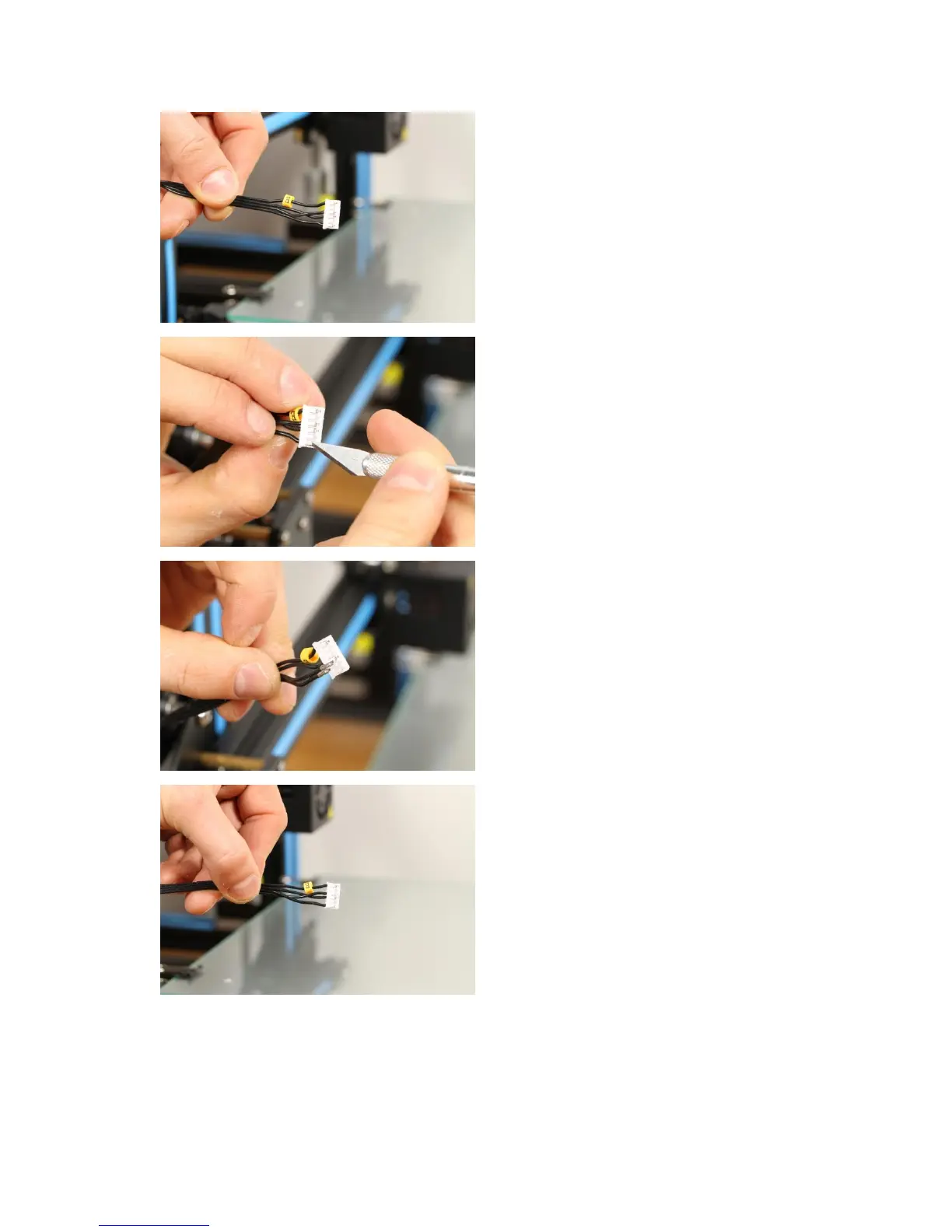
This photo shows how the cables are
arranged in the connector for the
extruder as default.
To change the rotation direction of
the motor one of the two coils needs
to be reversed polarity. We will move
two cables in the connector and let
them switch position.
• Use a Hobby knife and gently lift
the small plastic tab and pull out
the cable from the connector from
position 1 as in the photo.
● Repeat this for the cable in
position 4 (position 2 is empty) so
both cables is loose.
Now place the cable that was in
position 1 to position 4 and the
cable that was in position 4 to
position 1.
● This is how the cables is
connected once they are moved,
compare to the photo in the top.


 To Next Page