27
en
CLEANING THE FAN
CLEANING THE FAN
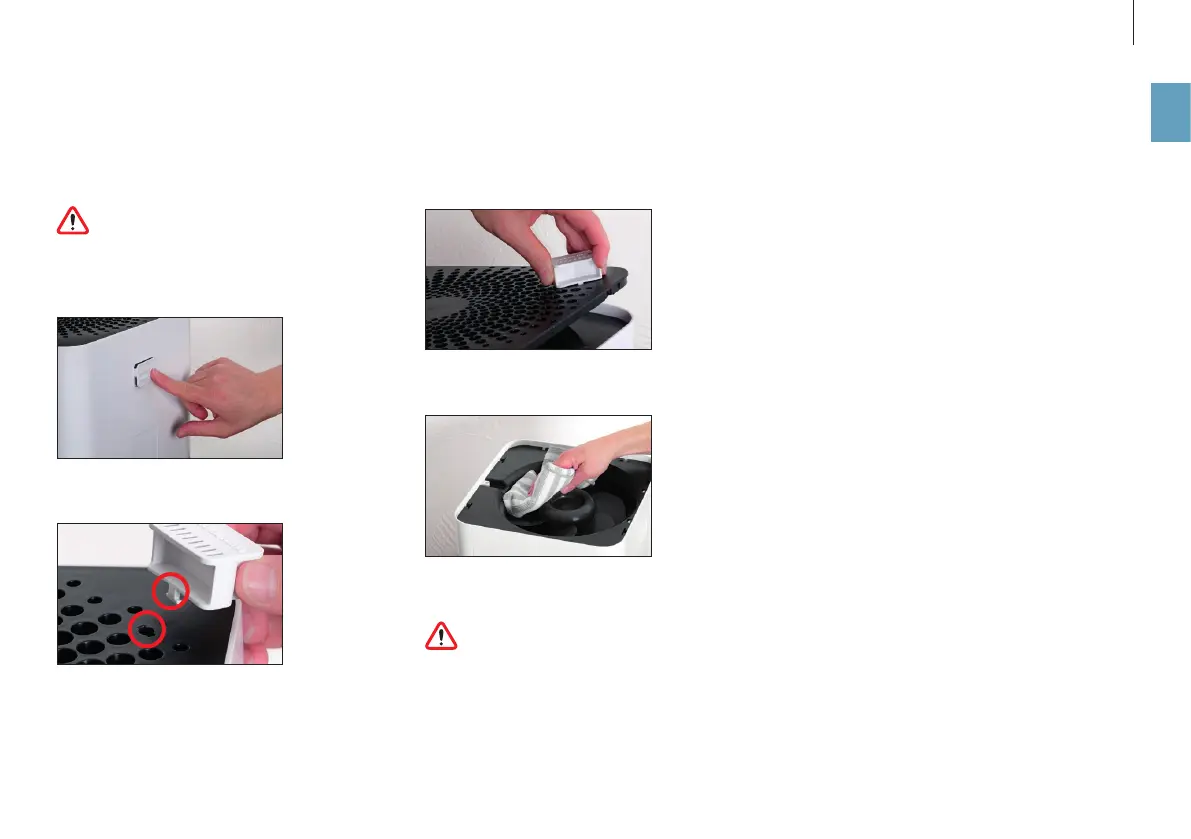
To clean the fan blades, remove the screen using the
fragrance container.
Clean the fragrance container thoroughly if
there is any fragrance residue left over (see
page 23). It only takes a few drops to discolor or
even damage the housing of the BONECO W200.
1. Remove the fragrance container.
2. Use the key for the openings provided in the
screen.
3. Turn the key around 90 degrees and carefully lift
the screen. Repeat this step in all corners until
the screen can be completely removed.
4. Clean the fan and the inner area with a damp
cloth.
5. Replace the screen. Carefully press down on all
four corners until they audibly click into place.
Do not operate the appliance without a pro-
tective screen!



 To Next Page