16SYNC 9.7 USER MANUAL - Android Mobile App
thUMBNAIL WINDOW
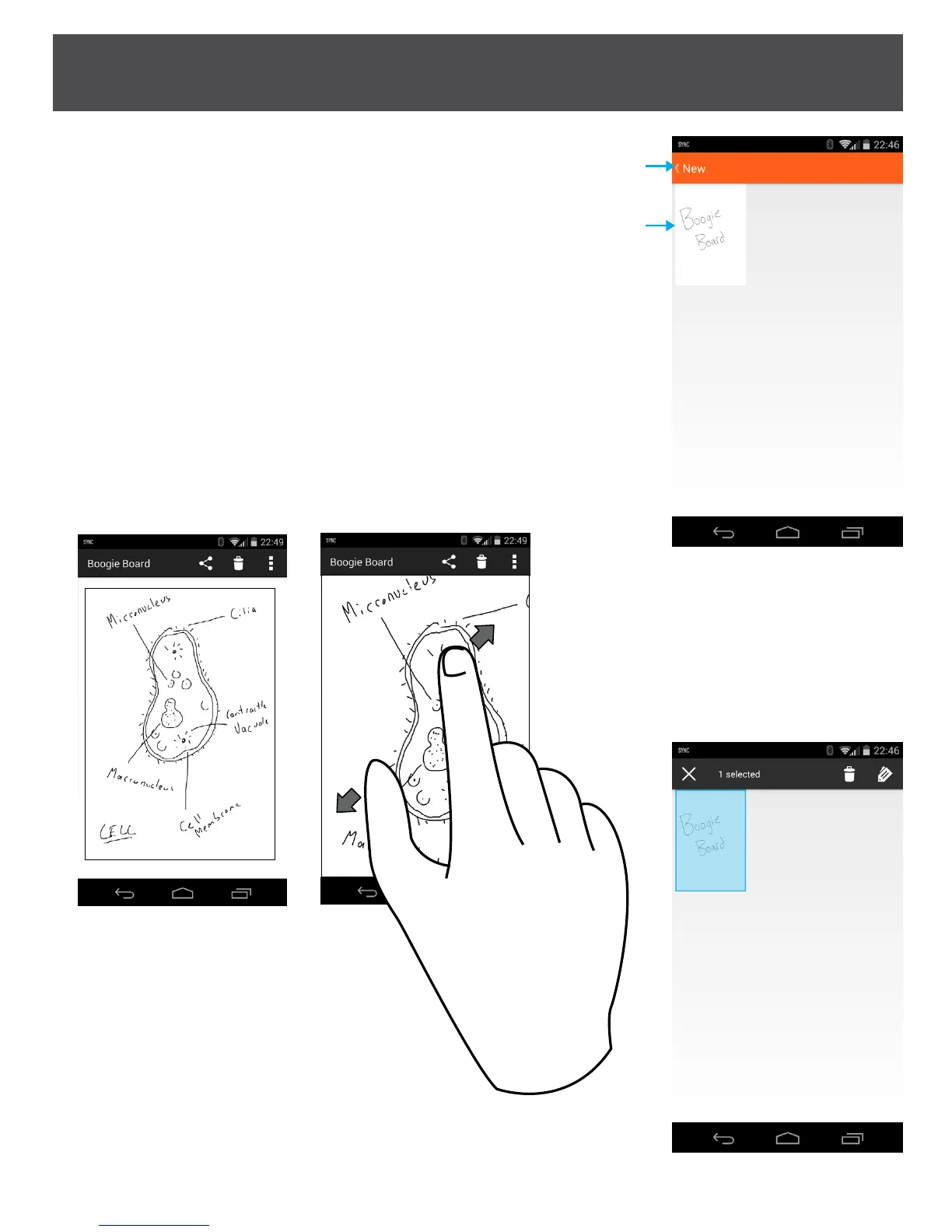
Option #2.1: Back to Label List Window
Option #2.2: Select File
Select the thumbnail of the file you want to view and it will come
up in its own window.
· You can share, delete or rename a le by pressing the icons in the action bar.
· Delete – removes le from your Android device. Note that this does not
delete the le from the Sync device.
· You can Zoom with two nger gesture (below) to expand image on your
Mobile Device
· You CANNOT draw on the same image again
*To select multiple les from the
thumbnail window, long press on one
of the les (thumbnails) then select
the additional les. This opens up
other options to delete or change
labels. This does not remove the les
from your Sync device.
#2.1
#2.2


 To Next Page