INSTRUCTIONS INSTRUCTIONS
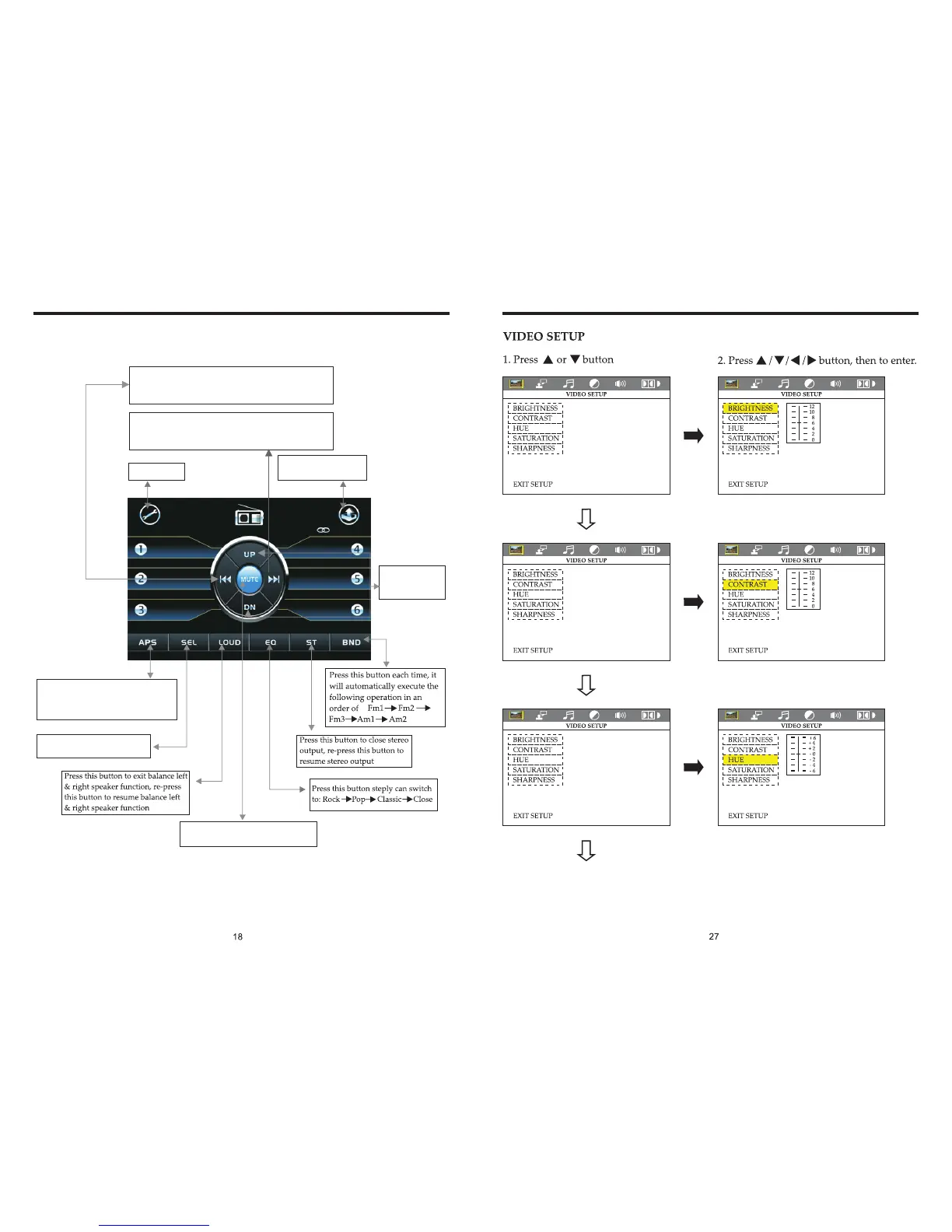
RADIO TOUCH (PIC 6) OPERATION
Power off
Press this button
to adjust angles
of the monitor
Short press on this button to increase radio frequency;
longer press on this button to seek radio channels
frequency increased direction.
Short press on this button to decrease radio frequency;
longer press on this button to seek radio channels
frequency decreased direction.
Touch this area to enter
& exit main menu.
In the radio state, press APS” button,
it will automatically seek radio
channels in the whole band and preset
the strongest radio channels.
“
Press “SEL” to adjust other
functions, please refer to pic 3.
Press this button to close sound outpt,
re-press this button to resume sound.


 To Next Page