INSTRUCTIONS INSTRUCTIONS
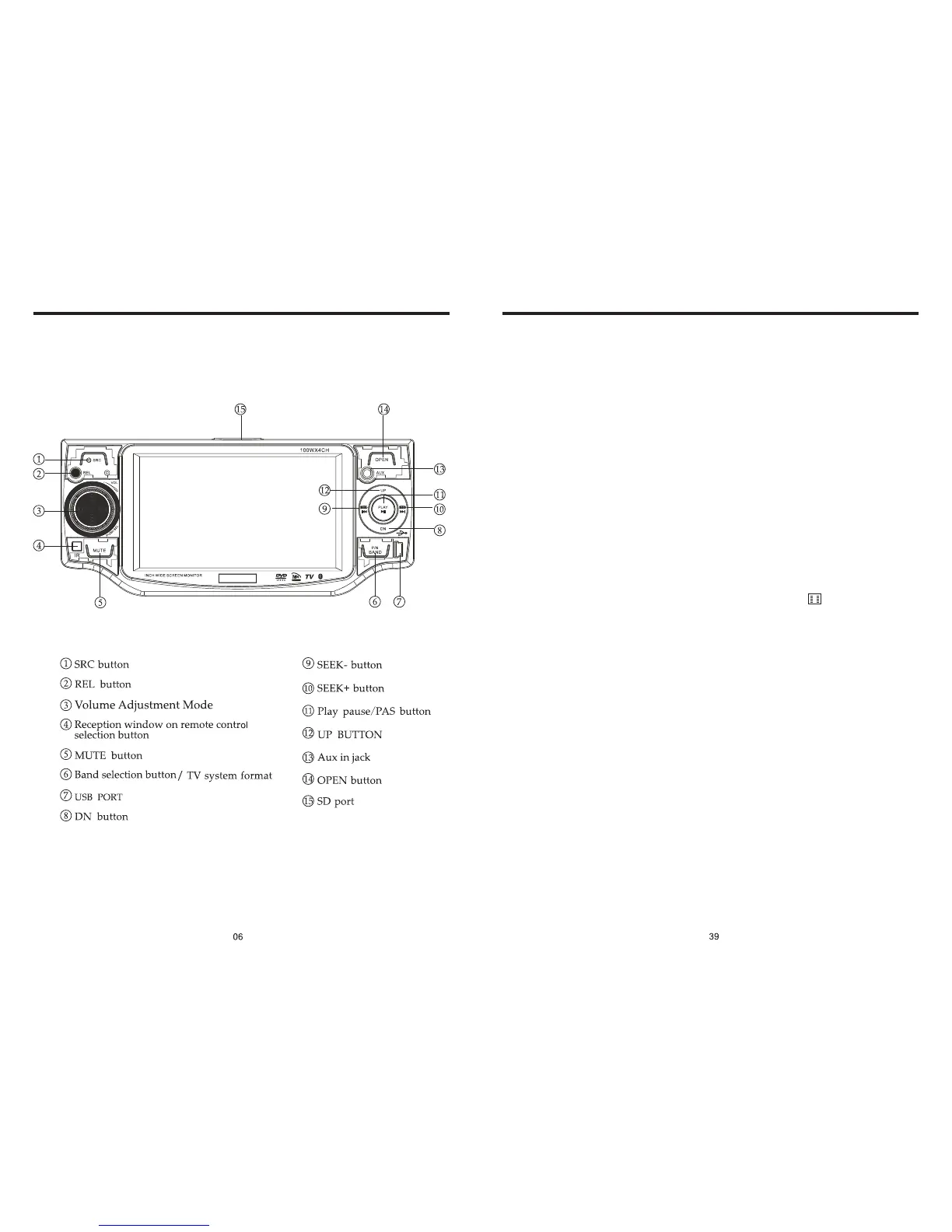
PANEL ARRANGEMENT
OTHER PLAY MODE
AUX IN:
AUX IN OPERATION
1) Press “Source” button on remote control or touch “AUX” on the touch screen, to
switch to AUX mode.
2) This will allow you to listen and or watch any source that you have plugged into this
section of the radio.
3) This unit has 1 - Video RCA input & 1 pair of Audio RCA’s for this feature.
CCD (Back-Up Camera)
1) If there is a back-up camera installed onto your car, you will need to connect it to
the CCD video input.
2) When you are backing up the car there you will see this image on your screen.
3) You can set CCD image according to your car's own position in general setting mode.
4 . 9


 To Next Page