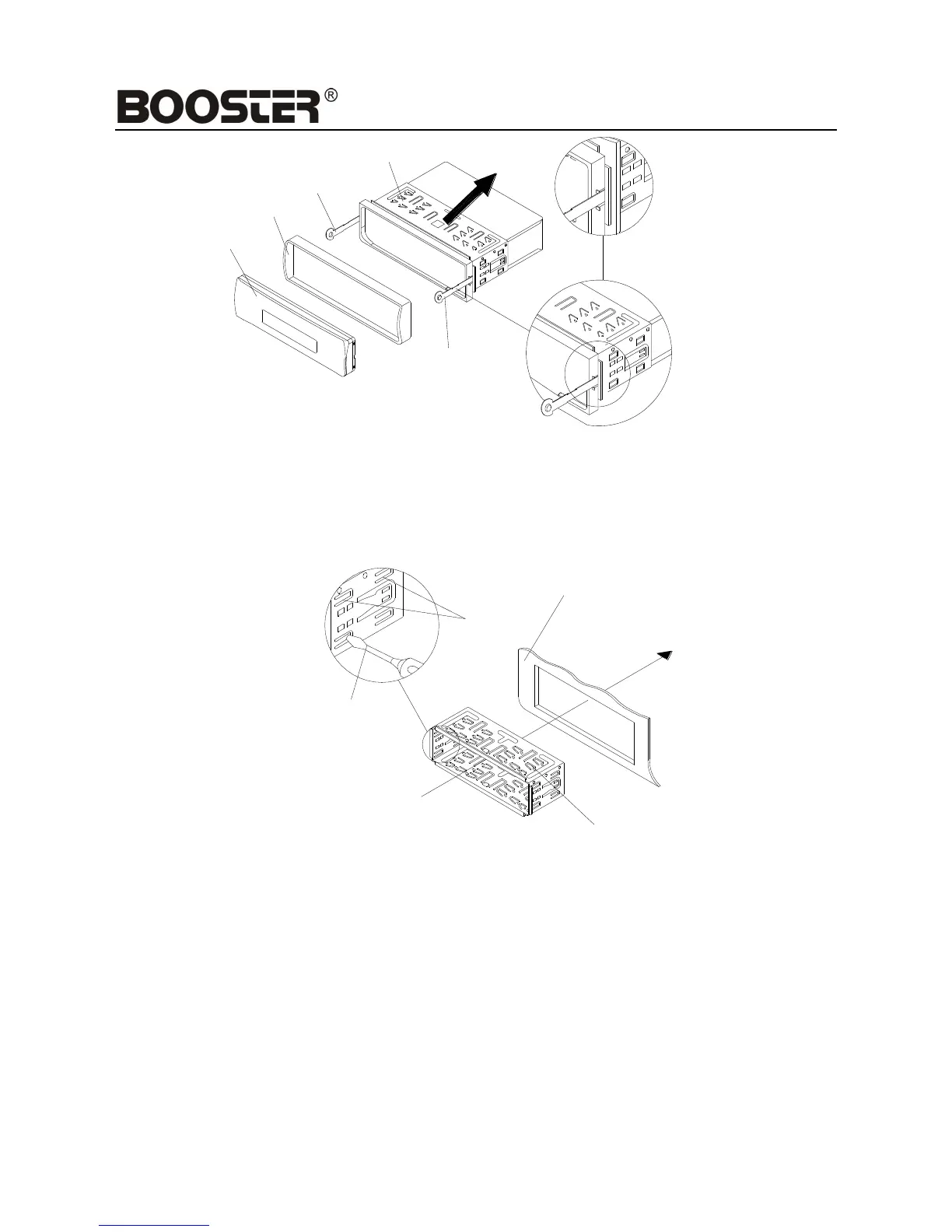
6. Mount the sleeve by inserting the sleeve into the opening of the dashboard and bend open the
tabs located around the sleeve with a screwdriver. Not all tabs will be able to make contact, so
examine which ones will be most effective. Bending open the appropriate tabs behind the
dashboard to secure the sleeve in place.
7. Reconnect the wire harness and the antenna and be careful not to pinch any wires or cables.
8. Slide the unit into the sleeve until it locks into place.
9. To further secure the unit, use the supplied metal strap to secure the back of the unit in place.
Use the supplied hardware (Hex Nut (M5mm) and Spring Washer) to attach one end of the
strap to the mounting bolt on the back of the unit. If necessary, bend the metal strap to fit your
vehicle’s mounting area. Then use the supplied hardware (Tapping Screw (5x25mm) and
Plain Washer) to attach the other end of metal strap to a solid metal part of the vehicle under


 To Next Page