- 4 -
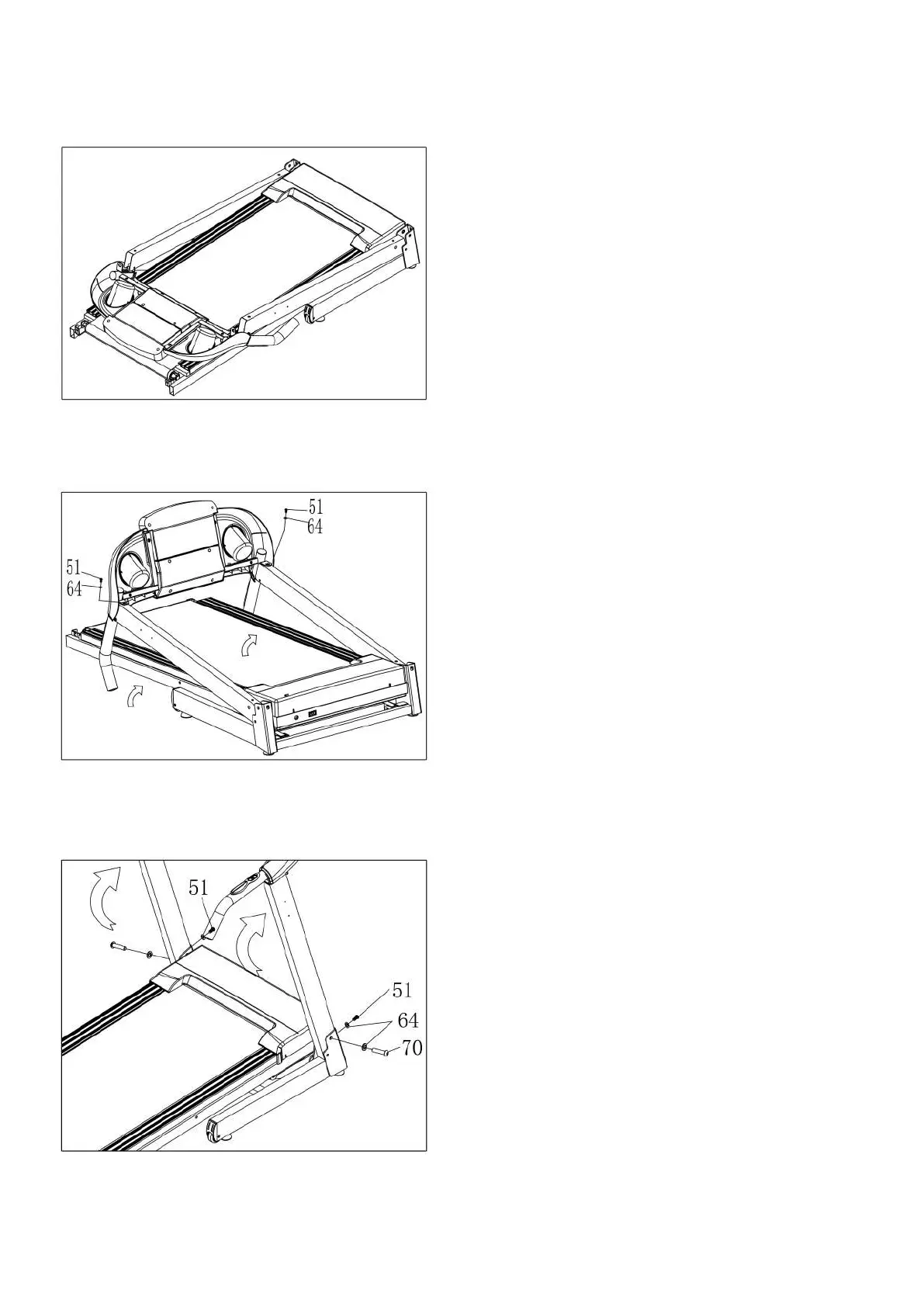
STEP 1:
STEP 2:
STEP 3:
Open the carton, take out the above
spare parts, put the Main frame (1) on the
level ground.
Hold on the computer frame and use the
5# Allen wrench (12), the Bolt (51) and
the Lock washer (64), fix the computer
frame onto the left and right upright
frame.
1. Push up the computer and L&R upright
frame.
2. Use the 5# Allen wrench (12), drill
through the Bolt (70) to the Lock washer
(64), then lock the right upright frame
into the Base frame (2).
3. Use the 5# Allen wrench(12), drill
through the Bolt (51) to the Lock washer
(64) then lock the right upright frame into
the Base frame (2). Refer to the picture
left.
4. Left side is the same as the right side.


 To Next Page