- 4 -
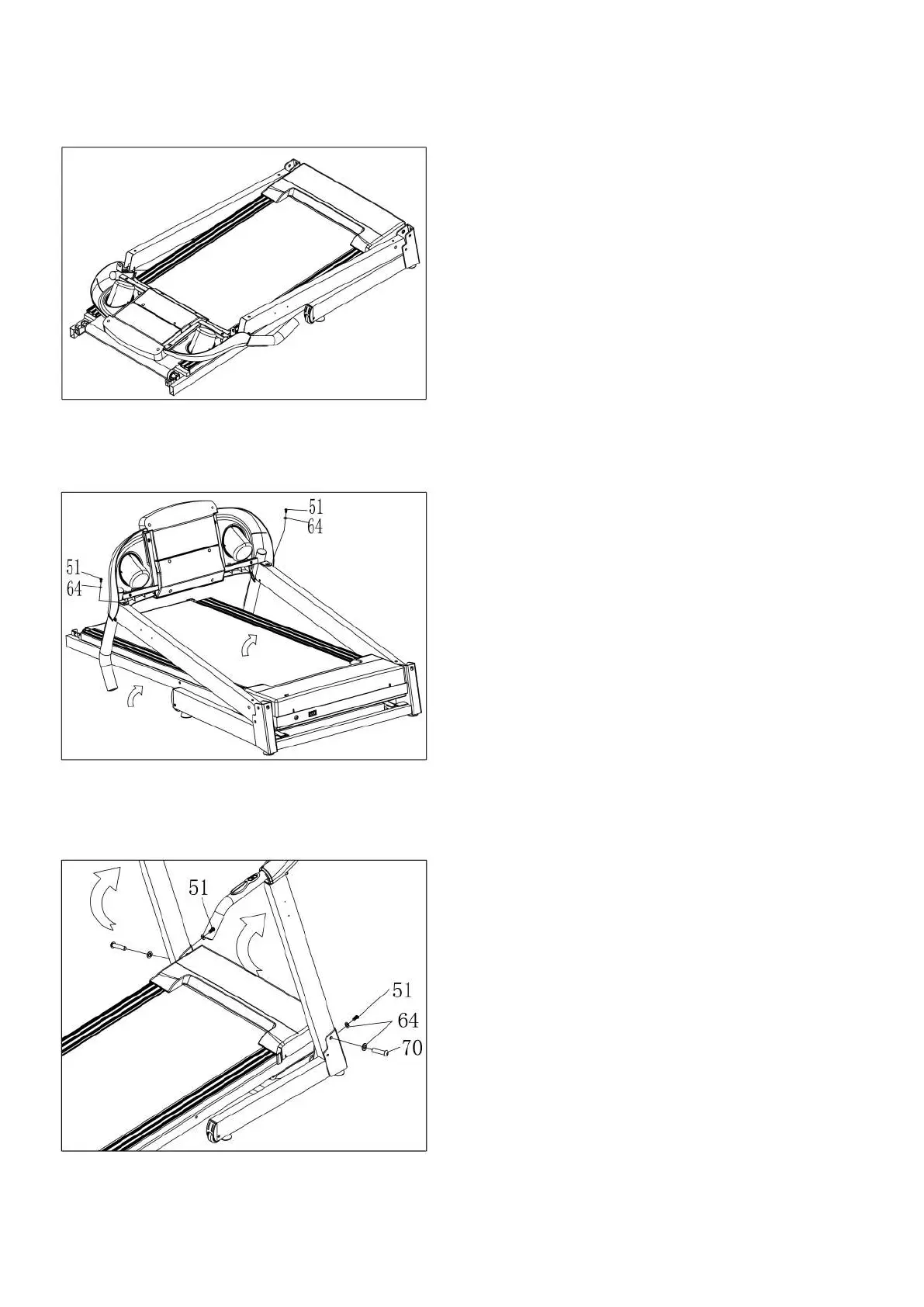
STEP 1:
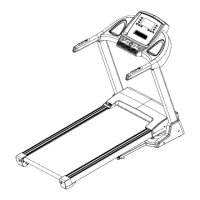
STEP 2:
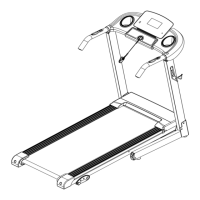
STEP 3:
Open the carton, take out the above
spare parts, put the Main frame (1) on the
level ground.
Hold on the computer frame and use the
5# Allen wrench (12), the Bolt (51) and
the Lock washer (64), fix the computer
frame onto the left and right upright
frame.
1. Push up the computer and L&R upright
frame.
2. Use the 5# Allen wrench (12), drill
through the Bolt (70) to the Lock washer
(64), then lock the Right upright frame (3)
into the Base frame (2).
3. Use the 5# Allen wrench (12), drill
through the Bolt (51) to the Lock washer
(64) then lock the Right upright frame (3)
into the Base frame (2). Refer to the pic-
ture left.
4. Left side is the same as the right side.


 To Next Page