3
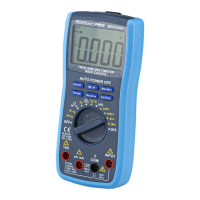
Silicone Buons Operang Descripon
“Select” Buon
Press this buon to select “Ω”, “ ”, “ ”, “°C/°F” measuring funcon when the funcon switch is set at “Ω”, “ ”, “ ”, “°C/°F” posion.
“ ” Buon
When this buon is pressed, LCD will show the last reading, and “H” symbol will appear ll pressed again. Back light funcon, press this buon for more than
2 seconds, back light will light , aer 15 seconds, back light will turn o automacally.
“MAX/MIN” Buon
Press this buon, the meter enters the MAX mode,and the LCD shows 'MAX' as an indicator, the present reading on the LCD is the maximum reading of all
readings taken, since the mode was acvated. Press this buon again, the meter enters the MIN mode,and the LCD shows "MIN" as an indicator, the present
reading on the LCD is the minimum reading of all readings taken ,since the mode was acvated. Press and hold down this buon for about 2 seconds to exit
MAX and MIN modes.
Range Buon
AC/DC voltage, Resistance and other measuring ranges can be selected manually or automacally by pushing the range control buon. Push this buon as
follows to choose range control mode and needed ranges.
“Relave” Buon
Press this buon to set the meter to Relave Mode, and will appear as an indicator. To exit Relave Mode, press this buon again and will disappear.
Hz/DUTY BUTTON
Press this buon to select Hz or DUTY CYCLE measurement, at Hz funcon.
Read this owners manual thoroughly before use.
Safety Instrucons
Warning
To avoid possible electric shock or personal injury, and to avoid possible damage to the Meter or to the equipment under test, adhere to the following rules:
1. Before using the Meter inspect the case. Do not use the Meter if it is damaged or the case (or part of the case) is removed. Look for cracks or missing plasc.
Pay aenon to the insulaon around the connectors.
2. Inspect the test leads for damaged insulaon or exposed metal. Check the test leads for connuity.
3. Do not apply more than the rated voltage, as marked on the Meter, between the terminals or between any terminal and grounding.
4. The rotary switch should be placed in the right posion and no any changeover of range shall be made during measurement is conducted to prevent damage
of the Meter.
5. When the Meter working at an eecve voltage over 60V in DC or 30V rms in AC, special care should be taken for there is danger of electric shock.
6. Use the proper terminals, funcon, and range for your measurements.
7. Do not use or store the Meter in an environment of high temperature, humidity, explosive, inammable and strong magnec eld. The performance of the
Meter may deteriorate aer dampened.
8. When using the test leads, keep your ngers behind the nger guards.
9. Disconnect circuit power and discharge all high-voltage capacitors before tesng resistance, connuity or diodes.
10. Replace the baery as soon as the baery indicator appears. With a low baery, the Meter might produce false readings that can lead to electric shock
and personal injury.
11. Remove the connecon between the tesng leads and the circuit being tested, and turn the Meter power o before opening the Meter case.
12. When servicing the Meter, use only the same model number or idencal electrical specicaons replacement parts.
13. The internal circuit of the Meter shall not be altered at will to avoid damage of the Meter and any accident.
14. So cloth and mild detergent should be used to clean the surface of the Meter when servicing. No abrasive and solvent should be used to prevent the
surface of the Meter from corrosion, damage and accident.
15. The Meter is suitable for indoor use.
16. Turn the Meter power o when it is not in use and take out the baery when not using for a long me. Constantly check the baery as it may leak when it
has been using for some me, replace the baery as soon as leaking appears. A leaking baery will damage the Meter.
EN * The manufacturer reserves the right to make minor changes to product design and technical specicaons without prior noce unless these changes signicantly aect the performance and safety of the
products. The parts described / illustrated in the pages of the manual that you hold in your hands may also concern other models of the manufacturer's product line with similar features and may not be included
in the product you just acquired.
* Please note that our equipment has not been designed for use in commercial, trade or industrial applicaons. Our warranty will be voided if the machine is used in commercial, trade or industrial businesses or
for equivalent purposes.
* To ensure the safety and reliability of the product and the warranty validity, all repair, inspecon, repair or replacement work, including maintenance and special adjustments, must only be carried out by tech-
nicians of the authorized service department of the manufacturer.


 To Next Page
 Loading...