Operation instructions
51
830 ES – 6 720 644 936 (2021/08)
6.7 Reset button
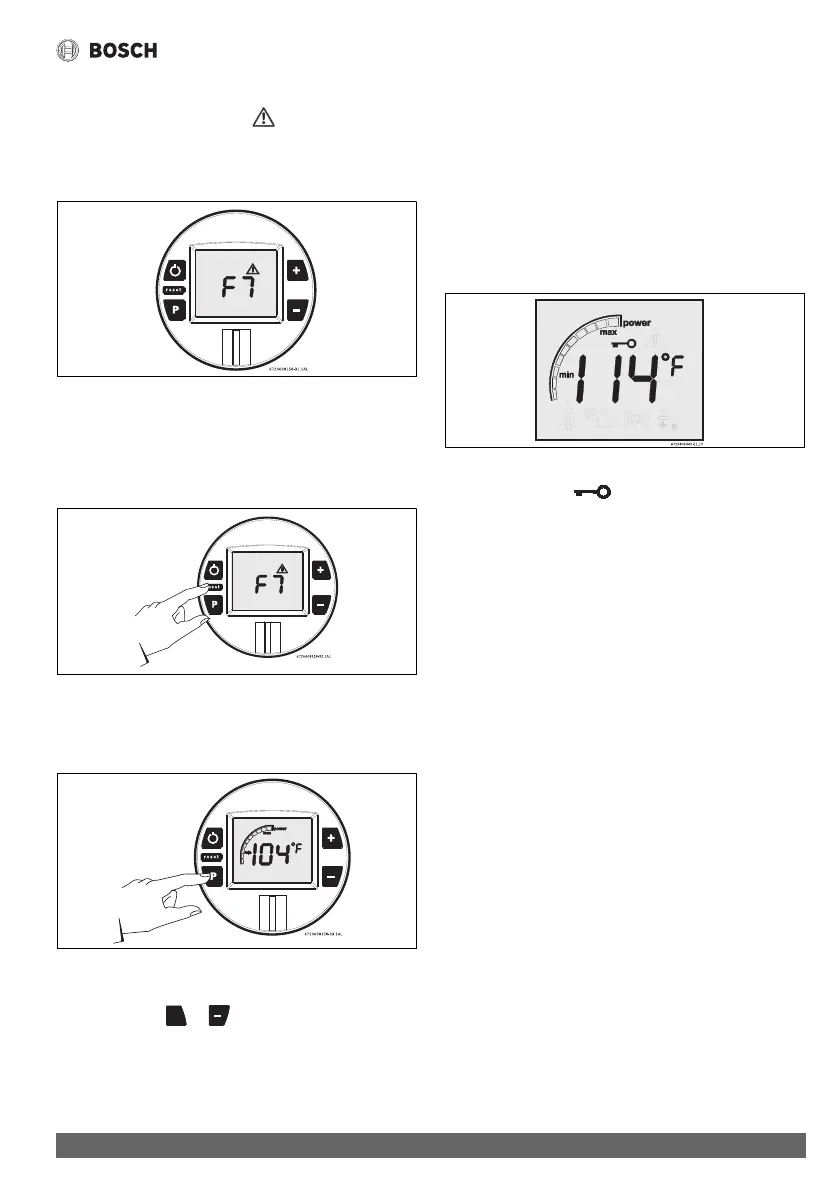
If the LCD shows the error symbol do not shut off power or
unplug the heater. Follow instructions below to reset error first.
Record the error code on LCD and consult “Problem solving”
chapter 9.1, page 61.
Fig. 55
After following instructions indicated in “Troubleshooting”
section,
▶ press reset button firmly in order to return heater to normal
operation.
Fig. 56 Reset button
If the problem persists, contact your installer.
6.8 Program button
Fig. 57 “Program” key
6.8.1 Memorizing selected temperature
▶ Press buttons or to select desired temperature.
▶ Hold “Program” button for 3 seconds to save temperature.
When LCD stops blinking, temperature is saved in memory.
Using “Program” function
In order to select memorized temperature
▶ Press “Program” key.
LCD shows pre-memorized temperature, which is now the hot
water selected temperature.
6.9 Locked condition
This condition is only valid for appliances with one or more
remote controls installed.
Fig. 58 Locked condition
Whenever LCD shows , the temperature setting cannot
be adjusted because the appliance is in use by a user which
already selected a different temperature. Appliance will be
automatically unlock 5 minutes after closing hot water tap.




 To Next Page