EasyManua.ls Logo

Bosch Conettix B465 - User Manual

Bosch Conettix B465
115 pages
Print Icon
To Next Page IconTo Next Page
Loading...
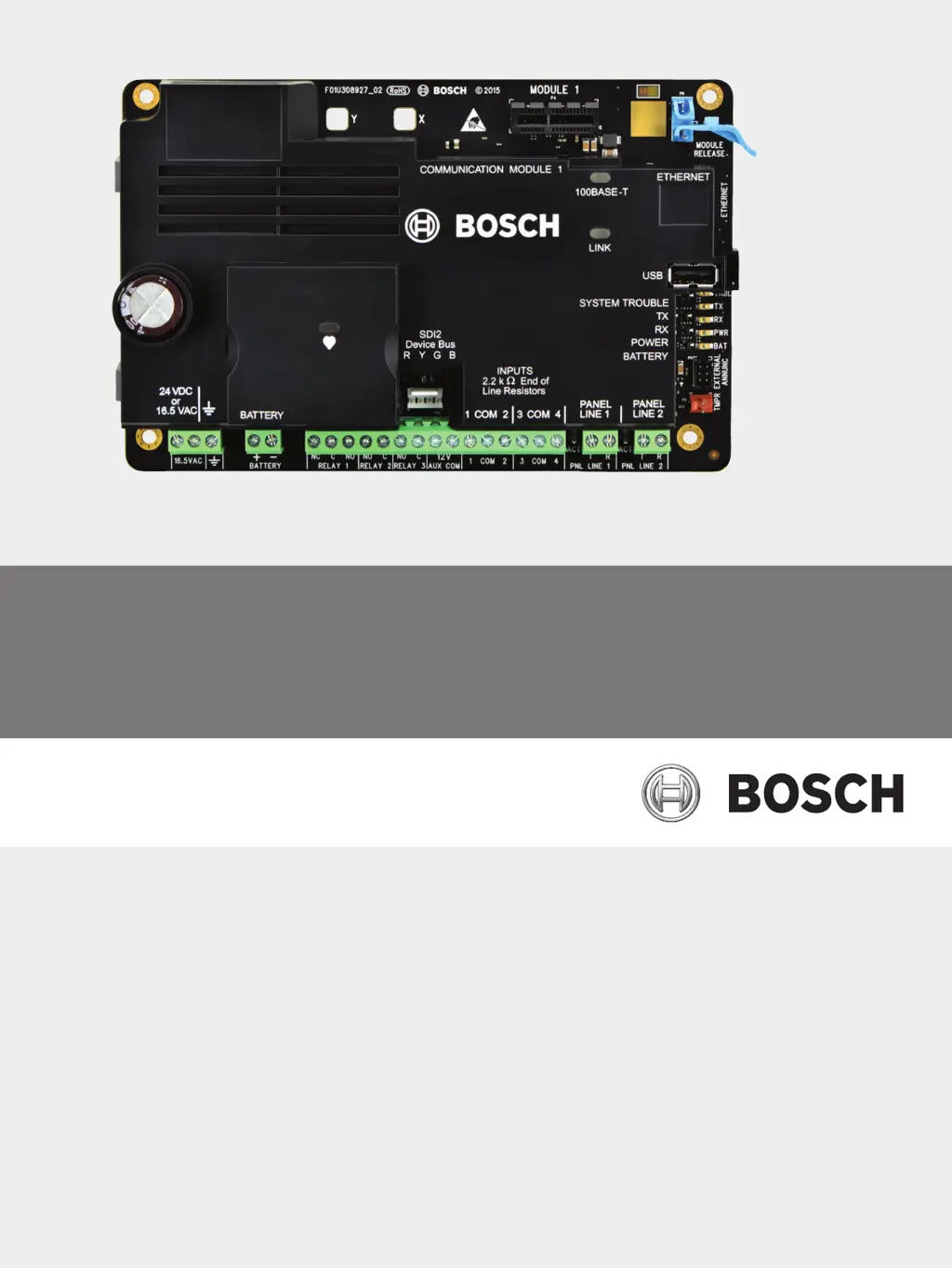
Conettix Universal Dual Path
Communicator
B465
en
Installation and Operation Manual

Table of Contents

Questions and Answers

Summary

Safety

ESD Precaution

Protective measures against electrostatic discharge (ESD) when handling the device.

Introduction

Installation Workflow

Step-by-step guide for installing and configuring the B465 communicator.

System Overview

B465 Overview

Describes the B465's functionality and compatibility with reporting formats.

IP Communication

Explains how the B465 uses Ethernet and cellular for IP communication.

B46 Overview (Optional)

Details the optional B46 module for external status indication.

Installation

Mount the Enclosure

Instructions for mounting the B465 within various compatible enclosures.

Install the B465 in the Enclosure

Steps for physically installing the B465 module into its designated enclosure.

Install Cellular Plug-in Communicator Module (Optional)

Guide for installing an optional cellular module for network connectivity.

Wiring Installation

Comprehensive guide covering all wiring connections for the B465.

System Wiring

Overview of connections for integrating the B465 into a system.

Input Loop Wiring

Details on connecting and configuring input loops for event reporting.

Primary Power Source Wiring

Instructions for connecting AC or DC primary power to the B465.

12 VDC Battery Wiring

Procedure for connecting a backup battery for auxiliary power.

IP Communicators

Onboard Ethernet

Details on using the built-in Ethernet port for network communication.

Conettix Plug-in Cellular Communicator

Information on supported cellular modules for communication.

Report Routing

Configuration options for directing reports to central stations.

Configuration and Diagnostics

RPS

Information on using Remote Programming Software (RPS) for configuration.

USB and TeraTerm

Guide for connecting and configuring via USB using TeraTerm.

Install TeraTerm

Steps for installing the TeraTerm serial communication program.

Log In

Procedure for accessing the B465 via USB using a terminal program.

Main Menu

Overview of the B465's main menu structure and navigation.

Menu Map

Visual representation of the USB menu structure for configuration.

1 = Status

Accessing and interpreting device status information.

8 = Maintenance

Procedures for performing maintenance tasks on the B465.

Diagnostic

Running diagnostic procedures to troubleshoot issues.

Firmware Update

Instructions for updating the B465 firmware.

Communication Configuration

Account Number; NNC Number

Configuring account details for central station reporting.

Preferred Network Technology

Selecting the primary network path (Ethernet or Cellular).

Alternate Network Technology

Configuring a backup network path for redundancy.

Primary Receiver

Setting up the primary central station receiver details.

Ethernet IP Address; Host Name

Configuring IP address or hostname for Ethernet communication.

Ethernet Supervision Time

Setting supervision intervals for Ethernet connectivity.

Cellular IP Address; Host Name

Configuring IP address or hostname for cellular communication.

Cellular Supervision Time

Setting supervision intervals for cellular connectivity.

AES Encryption, Key Size

Configuring security settings for data encryption.

Secondary Receiver

Setting up the secondary central station receiver details.

Ethernet Setup

Configuring network parameters for Ethernet communication.

Cellular Setup; Cellular Plug-in Module

Configuring parameters for the cellular communicator.

Network Access Point Name (APN)

Setting the APN for cellular network access.

System Configuration

Panel Phone Line Setup

Configuring the connection and parameters for the control panel phone line.

Panel Reporting Format

Selecting the reporting format for communication with the panel.

Primary Power Supervision

Configuring supervision for the primary power source.

Primary Power Source

Selecting between AC or DC as the primary power source.

Primary Power Fail Delay

Setting the delay before reporting a primary power failure.

Battery Supervision

Configuring monitoring for battery status and faults.

Battery Monitoring

Enabling or disabling battery monitoring features.

Communication Failure Action

Defining actions to take upon communication failure.

Comm Fail Sends Reports

Enabling/disabling reports for communication failures.

Input Configuration

Input 1 (to 4)

Configuring the behavior and reporting for inputs 1 through 4.

Output Configuration

Output 1 (to 3)

Configuring the behavior and reporting for programmable outputs 1 through 3.

Maintenance and Troubleshooting

B465 LED Status Indicators

Interpreting LED patterns for device status and diagnostics.

On-board Ethernet LEDs

LED indicators for Ethernet connection status.

Panel Phone Line LEDs

LED indicators for panel phone line status.

Cellular Module LEDs

LED indicators for cellular module status and signal strength.

System Trouble LED Patterns

Interpreting SYSTEM TROUBLE LED patterns for error conditions.

Power LED

LED indicators for power status.

Battery LED

LED indicators for battery status.

Diagnostic Log

Generating and using diagnostic logs for troubleshooting.

Troubleshooting Procedures

Guidance for resolving hardware and software issues.

No Power on the B465

Steps to resolve issues related to the B465 not powering up.

Hardware

Troubleshooting general hardware problems with the B465.

Firmware

Troubleshooting issues related to corrupted firmware or failed uploads.

SIM Card

Troubleshooting problems related to the SIM card.

USB COM Port Error

Resolving errors when connecting to the B465 via USB.

Specifications and Certifications

Technical Specifications

Detailed technical data, environmental, and dimensional information.

B465 Power Supply Specifications

Electrical requirements and power consumption details for the B465.

Application Environment

Specifies required standby and alarm times for different applications.

Standby Battery Requirements and Calculations

Information on calculating battery backup requirements.

Required Programming to Meet UL 864

Programming requirements for UL 864 compliance in fire applications.

Compatible UL Listed Components

List of compatible enclosures, transformers, and modules.

Certifications

Lists the safety and regulatory certifications obtained by the product.

B465 Event;Report Table

Mapping of B465 events and corresponding Contact ID reports.

Summary

Safety

ESD Precaution

Protective measures against electrostatic discharge (ESD) when handling the device.

Introduction

Installation Workflow

Step-by-step guide for installing and configuring the B465 communicator.

System Overview

B465 Overview

Describes the B465's functionality and compatibility with reporting formats.

IP Communication

Explains how the B465 uses Ethernet and cellular for IP communication.

B46 Overview (Optional)

Details the optional B46 module for external status indication.

Installation

Mount the Enclosure

Instructions for mounting the B465 within various compatible enclosures.

Install the B465 in the Enclosure

Steps for physically installing the B465 module into its designated enclosure.

Install Cellular Plug-in Communicator Module (Optional)

Guide for installing an optional cellular module for network connectivity.

Wiring Installation

Comprehensive guide covering all wiring connections for the B465.

System Wiring

Overview of connections for integrating the B465 into a system.

Input Loop Wiring

Details on connecting and configuring input loops for event reporting.

Primary Power Source Wiring

Instructions for connecting AC or DC primary power to the B465.

12 VDC Battery Wiring

Procedure for connecting a backup battery for auxiliary power.

IP Communicators

Onboard Ethernet

Details on using the built-in Ethernet port for network communication.

Conettix Plug-in Cellular Communicator

Information on supported cellular modules for communication.

Report Routing

Configuration options for directing reports to central stations.

Configuration and Diagnostics

RPS

Information on using Remote Programming Software (RPS) for configuration.

USB and TeraTerm

Guide for connecting and configuring via USB using TeraTerm.

Install TeraTerm

Steps for installing the TeraTerm serial communication program.

Log In

Procedure for accessing the B465 via USB using a terminal program.

Main Menu

Overview of the B465's main menu structure and navigation.

Menu Map

Visual representation of the USB menu structure for configuration.

1 = Status

Accessing and interpreting device status information.

8 = Maintenance

Procedures for performing maintenance tasks on the B465.

Diagnostic

Running diagnostic procedures to troubleshoot issues.

Firmware Update

Instructions for updating the B465 firmware.

Communication Configuration

Account Number; NNC Number

Configuring account details for central station reporting.

Preferred Network Technology

Selecting the primary network path (Ethernet or Cellular).

Alternate Network Technology

Configuring a backup network path for redundancy.

Primary Receiver

Setting up the primary central station receiver details.

Ethernet IP Address; Host Name

Configuring IP address or hostname for Ethernet communication.

Ethernet Supervision Time

Setting supervision intervals for Ethernet connectivity.

Cellular IP Address; Host Name

Configuring IP address or hostname for cellular communication.

Cellular Supervision Time

Setting supervision intervals for cellular connectivity.

AES Encryption, Key Size

Configuring security settings for data encryption.

Secondary Receiver

Setting up the secondary central station receiver details.

Ethernet Setup

Configuring network parameters for Ethernet communication.

Cellular Setup; Cellular Plug-in Module

Configuring parameters for the cellular communicator.

Network Access Point Name (APN)

Setting the APN for cellular network access.

System Configuration

Panel Phone Line Setup

Configuring the connection and parameters for the control panel phone line.

Panel Reporting Format

Selecting the reporting format for communication with the panel.

Primary Power Supervision

Configuring supervision for the primary power source.

Primary Power Source

Selecting between AC or DC as the primary power source.

Primary Power Fail Delay

Setting the delay before reporting a primary power failure.

Battery Supervision

Configuring monitoring for battery status and faults.

Battery Monitoring

Enabling or disabling battery monitoring features.

Communication Failure Action

Defining actions to take upon communication failure.

Comm Fail Sends Reports

Enabling/disabling reports for communication failures.

Input Configuration

Input 1 (to 4)

Configuring the behavior and reporting for inputs 1 through 4.

Output Configuration

Output 1 (to 3)

Configuring the behavior and reporting for programmable outputs 1 through 3.

Maintenance and Troubleshooting

B465 LED Status Indicators

Interpreting LED patterns for device status and diagnostics.

On-board Ethernet LEDs

LED indicators for Ethernet connection status.

Panel Phone Line LEDs

LED indicators for panel phone line status.

Cellular Module LEDs

LED indicators for cellular module status and signal strength.

System Trouble LED Patterns

Interpreting SYSTEM TROUBLE LED patterns for error conditions.

Power LED

LED indicators for power status.

Battery LED

LED indicators for battery status.

Diagnostic Log

Generating and using diagnostic logs for troubleshooting.

Troubleshooting Procedures

Guidance for resolving hardware and software issues.

No Power on the B465

Steps to resolve issues related to the B465 not powering up.

Hardware

Troubleshooting general hardware problems with the B465.

Firmware

Troubleshooting issues related to corrupted firmware or failed uploads.

SIM Card

Troubleshooting problems related to the SIM card.

USB COM Port Error

Resolving errors when connecting to the B465 via USB.

Specifications and Certifications

Technical Specifications

Detailed technical data, environmental, and dimensional information.

B465 Power Supply Specifications

Electrical requirements and power consumption details for the B465.

Application Environment

Specifies required standby and alarm times for different applications.

Standby Battery Requirements and Calculations

Information on calculating battery backup requirements.

Required Programming to Meet UL 864

Programming requirements for UL 864 compliance in fire applications.

Compatible UL Listed Components

List of compatible enclosures, transformers, and modules.

Certifications

Lists the safety and regulatory certifications obtained by the product.

B465 Event;Report Table

Mapping of B465 events and corresponding Contact ID reports.

Bosch Conettix B465 Specifications

General IconGeneral
BrandBosch
ModelConettix B465
CategoryCell Phone
LanguageEnglish

Related product manuals