EasyManua.ls Logo

Bosch DIP-3042-4HD - User Manual

Bosch DIP-3042-4HD
36 pages
Print Icon
To Next Page IconTo Next Page
Loading...
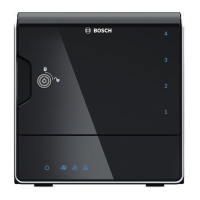
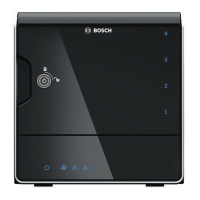
DIVAR IP 3000
DIP-3040-00N, DIP-3042-2HD, DIP-3042-4HD
en Installation Manual
Question and Answer IconNeed help?

Do you have a question about the Bosch DIP-3042-4HD and is the answer not in the manual?

Summary

Safety precautions

General safety precautions

Follows rules for general safety, keeping area clean, avoiding loose clothing, and removing jewelry.

Electrical safety precautions

Basic electrical safety measures to protect users from harm and the system from damage.

ESD precautions

Measures to neutralize electrostatic discharge and protect equipment from ESD.

Operating precautions

Ensures proper cooling and prevents warranty damage by keeping the chassis cover in place.

System overview

Chassis features

Details the hardware features of the DIVAR IP 3000 chassis, including CPU, drive slots, and ports.

Chassis components

Describes the main components included with the DIVAR IP 3000 chassis.

Device views

Explains the meaning of all LED indicators on the front and rear of the DIVAR IP 3000 chassis.

Chassis setup and maintenance

Removing hard drive trays

Provides step-by-step instructions for removing hard drive trays from the chassis.

Installing a hard drive

Guides on how to properly install a hard drive into the drive carrier.

System setup - first steps

Introduction

Provides an overview of the installation and configuration process for DIVAR IP systems.

Setup instruction

Details the default IP address and iSCSI settings for DIVAR IP systems.

Starting the application

Guides through the initial steps to power on and begin configuring the DIVAR IP system.

Using Bosch VMS Configuration Wizard

Explains the purpose and usage of the Configuration Wizard for system setup.

Recovering the unit

Additional Documentation

End-user license agreement (EULA)

Summary

Safety precautions

General safety precautions

Follows rules for general safety, keeping area clean, avoiding loose clothing, and removing jewelry.

Electrical safety precautions

Basic electrical safety measures to protect users from harm and the system from damage.

ESD precautions

Measures to neutralize electrostatic discharge and protect equipment from ESD.

Operating precautions

Ensures proper cooling and prevents warranty damage by keeping the chassis cover in place.

System overview

Chassis features

Details the hardware features of the DIVAR IP 3000 chassis, including CPU, drive slots, and ports.

Chassis components

Describes the main components included with the DIVAR IP 3000 chassis.

Device views

Explains the meaning of all LED indicators on the front and rear of the DIVAR IP 3000 chassis.

Chassis setup and maintenance

Removing hard drive trays

Provides step-by-step instructions for removing hard drive trays from the chassis.

Installing a hard drive

Guides on how to properly install a hard drive into the drive carrier.

System setup - first steps

Introduction

Provides an overview of the installation and configuration process for DIVAR IP systems.

Setup instruction

Details the default IP address and iSCSI settings for DIVAR IP systems.

Starting the application

Guides through the initial steps to power on and begin configuring the DIVAR IP system.

Using Bosch VMS Configuration Wizard

Explains the purpose and usage of the Configuration Wizard for system setup.

Recovering the unit

Additional Documentation

End-user license agreement (EULA)

Bosch DIP-3042-4HD Specifications

General IconGeneral
BrandBosch
ModelDIP-3042-4HD
CategorySecurity System
LanguageEnglish

Related product manuals