EasyManua.ls Logo

Bosch DS7400Xi - User Manual

Bosch DS7400Xi
100 pages
Print Icon
To Next Page IconTo Next Page
Loading...
Reference Guide
for the DS7400Xi (Ver. 4+)
Control/Communicator
Turning On (arming) your System using the DS7445/DS7445i
or DS7447/DS7447E Keypad
Normal Arming [PIN] + [On]
Perimeter Arming, no entry delay [PIN] + [No Entry] +
[Perimeter Only]
Perimeter Arming, with entry delay [PIN] + [Perimeter Only]
Maximum Security Arming [PIN] + [No Entry] + [On]
Custom Arming [PIN] + [#] [4]
Set Delayed Arming [PIN] + [#] [9] [9] and enter
number of hours from
current time to the desired
arming time.
Extend Automatic Arming [PIN] + [OFF] during pre-
arm time
Force Arming Enter an arming
command followed by
[Bypass]
Zone Bypass [PIN] + [Bypass] followed
by the Zone number.
[PIN] +[Bypass] [*] to clear
ALL Bypasses.
Turning Off (disarming) your System
Enter your [PIN] followed by [Off]
Commands for other System Features
Chime Mode [PIN] + [#] [7]
System Walk Test [PIN] + [#] [8] [1]
Read Event History [PIN] + [#] [8] [9]
Battery Test [PIN] + [System Reset]
Communicator Test [PIN] + [#] [8] [2]
Fire Reset [PIN] + [System Reset]
Remote Program Dial-out [PIN] + [#][8] [3]
Remote Program Answer [PIN] + [#] [8] [6]
Battery/Sounder Test [PIN] + [#] [8] [5]
Error Display [PIN] + [#] [8] [7]
Error Display Reset [PIN] + [System Reset]
Fire Walk Test [PIN] + [#] [9] [1]
To Silence a Fire Trouble/Alarm [PIN] + [Off]
To Clear a Fire Trouble Display [PIN] + [System Reset]
Access Control
Enter your [Access Control PIN] followed by [Off]
Keypad Quick Reference Guide
NOTE: For additional information on operating this system, consult the DS7400Xi (Ver. 4+) User’s Guide (P/N: 43851) and section 7
of this Reference Guide.
DS7447/DS7447E
1 23
456
789
0
*
#
On
No
Entry
System
Reset
Bypass
Only
Perimeter
Off
TEST WEEKLY
12345678
91011
12 13
14 15
16
Armed
Status
Power
Fire
Perimeter
Supervisory
Bell Silenced
Trouble
1 23
456
789
0
*
#
On
No
Entry
System
Reset
Bypass
Only
Perimeter
Off
TEST WEEKLY
Armed
Status
Power
Fire
DS7445/DS7445i

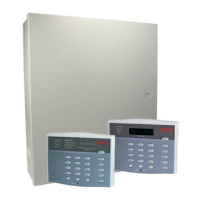
Table of Contents

Other manuals for Bosch DS7400Xi

Questions and Answers

  • C
    Charles PerrySep 12, 2025
    What does '#87 display = Communicator Err #89 display = Report Failure X' mean on my Bosch DS7400Xi Security System?
    • T
      Timothy SmithSep 12, 2025
      If your Bosch Security System displays '#87 display = Communicator Err #89 display = Report Failure X', it means the control has failed to communicate. Check history #89 to determine the source: Report Failure 1 = Phone number 1 Report Failure 2 = Phone number 2 Report Failure 3 = Phone number 3 (remote programmer) Report Failure 4 = DS7416i Communications fault.
  • D
    David MorrisAug 25, 2025
    How do I reset my Bosch DS7400Xi to factory default settings?
    • B
      Brian RobinsonAug 25, 2025
      To set the programming values to the factory default on your Bosch Security System, enter a value of 01 in address 4058.
  • J
    juliahernandezAug 25, 2025
    What to do if I am unable to arm my Bosch Security System?
    • C
      Christopher HudsonAug 26, 2025
      If you're having trouble arming your Bosch Security System, it could be due to a zone that is faulted. Identify and resolve the issue with the zone. Alternatively, if there's an AC power failure, you'll need to force arm the system. To do this, start the arming sequence and then press the Bypass key during the 5-second beep.
  • K
    Kristy RandolphSep 23, 2025
    What does '#87 display = AR Corrupt MSG #89 display = System Fault 59' mean on my Bosch DS7400Xi Security System?
    • M
      Michael SnyderSep 23, 2025
      If your Bosch Security System displays '#87 display = AR Corrupt MSG #89 display = System Fault 59', the communication between the panel and the DS7416i Module is getting corrupted. Check for noisy environment, and check the wiring between the DS7400Xi and the DS7416i Module.
  • L
    loganwilliamSep 12, 2025
    What does '#87 display = Line 1 Fault #89 display = System Fault 11' mean on my Bosch DS7400Xi?
    • J
      Jessica PetersenSep 12, 2025
      If your Bosch Security System displays '#87 display = Line 1 Fault #89 display = System Fault 11', it means there is a phone line fault on line 1. Check phone line 1 for proper operation.
  • J
    Jesus JohnsonSep 16, 2025
    What does '#87 display = AR IB Queue Full #89 display = System Fault 51' mean on my Bosch Security System?
    • W
      wagnerterrenceSep 16, 2025
      If your Bosch Security System displays '#87 display = AR IB Queue Full #89 display = System Fault 51', the message queue in the RF modem is full and no messages can get out to the radio network. Check RF coverage of the unit and check for RF noisy environment.
  • G
    George HendrixSep 5, 2025
    Why is the communicator test report not being sent from my Bosch DS7400Xi Security System?
    • T
      Tyrone GonzalezSep 5, 2025
      If the communicator test report isn't being sent from your Bosch Security System, it could be due to a couple of reasons. The report may not be programmed properly. Check programming addresses 4022, 4023, 4026, and 3340. Also, if there was a control problem at the time the report should have been sent, the communicator test report won't be sent. Instead, the control will send the “System Off Normal” report. Program the “System Off Normal” report in address 3347.
  • M
    Mark Howard DVMSep 6, 2025
    Why does my Bosch Security System display Fire Alarm but no zone numbers on the keypad?
    • K
      Kelly YoungSep 6, 2025
      If your Bosch Security System keypad displays a Fire Alarm but no zone numbers, it's because in Commercial Fire Mode, fire alarms must be silenced before the zone number will display. Enter a valid disarm PIN and press #, then enter a valid disarm PIN and press # again to display the zones.
  • D
    Dustin SchwartzNov 27, 2025
    What does '#87 display = Zone Trouble' mean on my Bosch DS7400Xi Security System and how can I fix it?
    • E
      Emily HardyNov 27, 2025
      If your Bosch Security System displays '#87 display = Zone Trouble', it means a zone isn't responding to the control panel, or the zone is programmed for 'Trouble on Open' and the loop is open, or there is a power failure and the panel is operating on battery backup. Check the wiring to the zone. If the zone is not in use, remove it from programming. If using Normally Closed contacts, re-program the zone for alarm on open. If using Normally Open contacts and trouble on open is desired, check for opens in the loop. Remove wiring and place an EOL resistor across the zone to eliminate a problem with the control. If the trouble goes away, the problem is in the wiring or in a contact connected to the zone. a) Plug the transformer in. b) Check the wiring. c) Check the circuit and circuit breaker...
  • E
    edwardbrownAug 30, 2025
    Why can't I perform a zone test (#81) on my Bosch DS7400Xi?
    • D
      David GarrisonAug 31, 2025
      You can't perform a zone test on your Bosch Security System if you're entering from a Master keypad, or if you're not using a PIN with test authority. Use a PIN with test authority.

Summary

Quick Reference Guide

System Arming Procedures

Guides for turning the system on and arming it using keypad commands.

System Feature Commands

Lists commands for accessing various system features and functions.

System Specifications

Physical, Environmental, and Capacity Details

Details enclosure size, operating temperature, zones, keypads, partitions, and users.

Power, Load, and Battery Requirements

Specifies power input, auxiliary power, outputs, max load currents, and backup battery calculation.

Installation and Wiring

Enclosure and Control Installation Procedures

Step-by-step instructions for installing the enclosure and control/communicator unit.

Control Terminal Wiring and Hardware Layout

Diagrams and explanations for connecting control terminals and system hardware layout.

System Operation and Testing

Emergency Procedures and Alarm Handling

Guides on identifying alarms, silencing, and responding to emergencies.

System Testing Procedures

Procedures for performing zone, battery, communicator, and fire walk tests.

System Programming

Programmer Mode and Data Entry

How to enter programmer mode, read, and enter program addresses and values.

Zone Configuration and Functions

Programming zone functions, types, outputs, partitions, and keypad assignments.

Timer, Report, and Communication Settings

Configuring delays, reports, phone numbers, and pager settings.

Troubleshooting Guide

Keypad, Reporting, and Zone Problem Resolution

Common issues with keypads, reporting, zones, and their solutions.

System Fault Diagnosis and Resolution

Troubleshooting power, communication, bus, and general system faults.

Bosch DS7400Xi Specifications

General IconGeneral
Partitions8
CommunicationPSTN, IP
Battery Backup7Ah
Operating Temperature0°C to 49°C (32°F to 120°F)
Power SupplyAC 16.5V, 25VA

Related product manuals