Divar Archive Player | Operation Manual | Viewing images EN | 4
Bosch Security Systems
English
Viewing images
Assigning cameos
A cameo is a single camera picture in a multiscreen display.
To assign a camera to a cameo:
1. Click on a cameo.
> The selected cameo has a yellow border.
2. Click on a numbered camera icon.
> The selected camera icon is yellow.
To undo a cameo assignment:
1. Click on a cameo.
> The icon of the camera assigned to this cameo is selected.
2. Click the selected camera icon.
> The cameo is blank when the camera assignment is removed.
Camera views
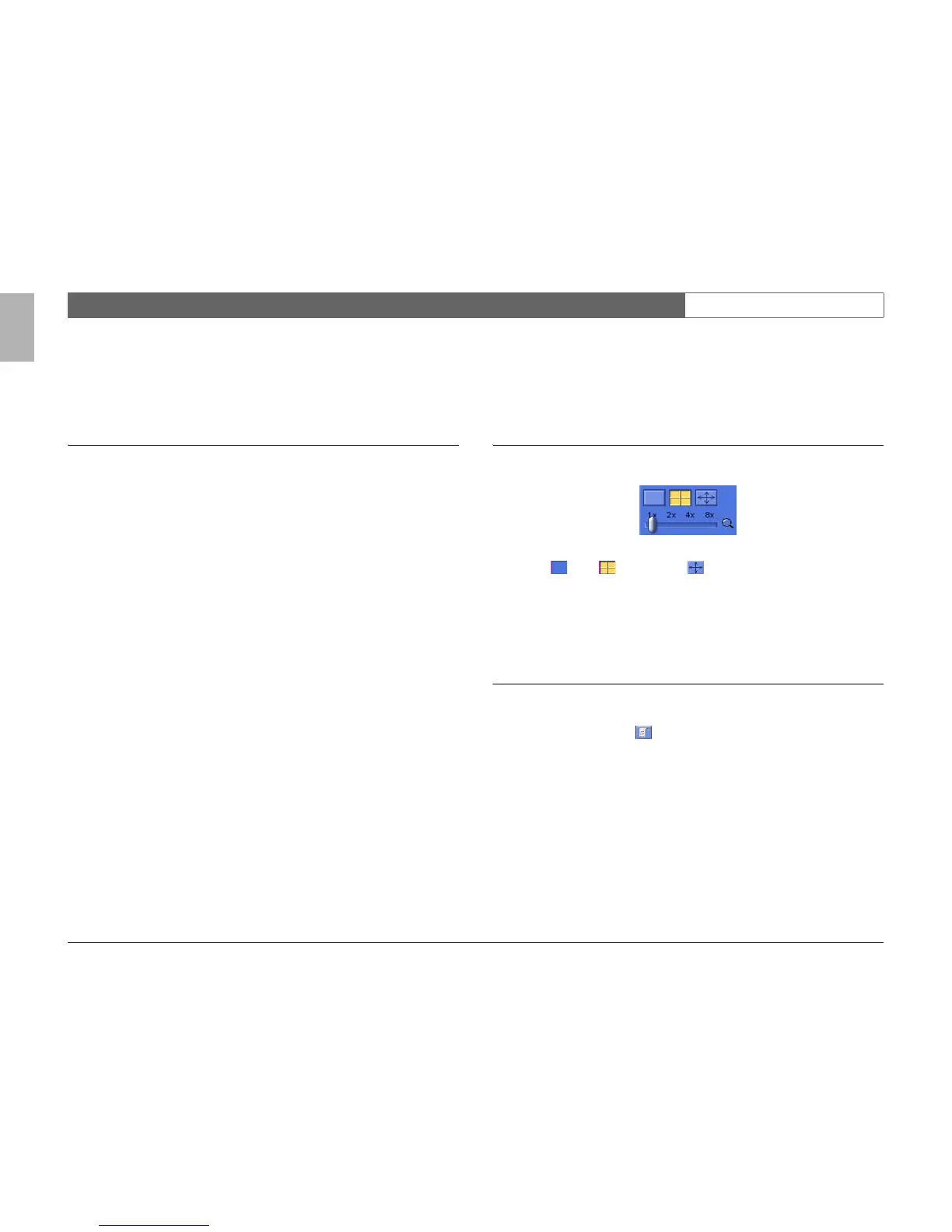
To switch the display mode:
1. Click one of camera view icons to change the cameo display configuration.
> Single , Quad and full screen display modes are available.
2. To change the zoom factor, drag the zoom slider.
When zoom is selected, left click on the cameo to zoom in; right click to zoom
out. Click, hold and drag in the cameo to move the image around.
ATM /POS transactions
To view ATM/POS transactions archived with a Divar 2 connected to a ATM/POS
bridge:
1. Click the transaction icon .
> The transacton viewer window opens.
> The data associated with the selected camera is displayed.



 To Next Page