EasyManua.ls Logo

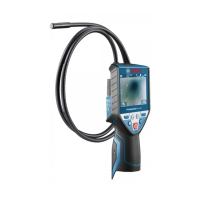
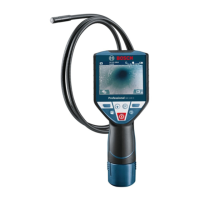
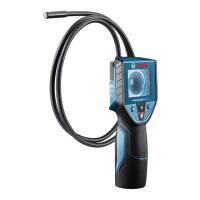
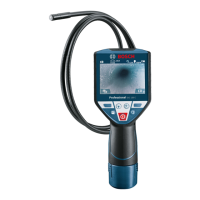
Bosch GIC 120 C Professional - User Manual

Bosch GIC 120 C Professional
41 pages
Print Icon
To Next Page IconTo Next Page
Loading...
Robert Bosch Power Tools GmbH
70538 Stuttgart
GERMANY
www.bosch-pt.com
1 609 92A 3Z1 (2017.11) T / 42
GIC 120 C Professional
en Original instructions
cn 正本使用说明书
tw 原始使用說明書
ko 사용 설명서 원본
th หนงสอคู่มือการใชงานฉบบตนแบบ
id Petunjuk-Petunjuk untuk Penggunaan Orisinal
vi
Bn gc hướng dn s dng
OBJ_BUCH-2467-004.book Page 1 Tuesday, November 7, 2017 3:49 PM
Question and Answer IconNeed help?

Do you have a question about the Bosch GIC 120 C Professional and is the answer not in the manual?

Summary

Safety Notes

Digital Inspection Camera Safety

Safety instructions for repair, explosive atmospheres, battery handling, and usage.

Magnet Safety

Keep magnets away from pacemakers and data media to prevent damage.

Product Information

Intended Use

The camera is for inspecting hard-to-reach or dark areas, not for medicinal purposes.

Product Features

Lists the numbered features of the inspection camera based on the graphics page.

Technical Data

Recommended Batteries

Lists recommended battery types for the inspection camera.

Assembly and Power

Power Supply Options

Information on operating the camera with batteries or battery pack.

Battery Pack Handling

Instructions for inserting, removing, and charging the battery pack.

Battery Status Indication

How to interpret the battery status symbol on the display.

Operation Precautions

General Handling

Keep unit dry, avoid extreme temperatures, and do not use if lens is misty.

Illumination and Zoom Control

Adjusting illumination brightness and magnifying the display image.

Initial Setup and Controls

Inserting Micro SD Card

Steps for inserting the micro SD card into the slot.

Powering On;Off

How to turn the inspection camera on and off manually or automatically.

Adjusting Camera Illumination

Adjusting the brightness of the LED illumination on the camera head.

Display Zoom Function

How to use the zoom function to magnify the image on the display.

Image and Data Handling

Display Image Rotation

Use button 5 to orient the image correctly on the display.

Photo;Video Capture

How to switch between photo/video modes and capture images or videos.

Gallery and Settings Access

Accessing stored images/videos and configuring camera settings.

Transferring Images and Videos

How to connect to a computer and transfer files via micro USB.

Working Advice and Recommendations

Pre-Inspection Checks

Check work area for obstructions and hazard areas before inspection.

Optimizing Image Quality

Adjusting illumination, focus, and cable for optimal image visibility.

Battery Pack Handling

Protect battery from moisture and store within specified temperature range.

Troubleshooting and Maintenance

Error Indicators

Common error messages and their solutions.

Cleaning and Care

Instructions for cleaning the inspection camera and its accessories.

Service and Support

Information on obtaining service, spare parts, and support.

Summary

Safety Notes

Digital Inspection Camera Safety

Safety instructions for repair, explosive atmospheres, battery handling, and usage.

Magnet Safety

Keep magnets away from pacemakers and data media to prevent damage.

Product Information

Intended Use

The camera is for inspecting hard-to-reach or dark areas, not for medicinal purposes.

Product Features

Lists the numbered features of the inspection camera based on the graphics page.

Technical Data

Recommended Batteries

Lists recommended battery types for the inspection camera.

Assembly and Power

Power Supply Options

Information on operating the camera with batteries or battery pack.

Battery Pack Handling

Instructions for inserting, removing, and charging the battery pack.

Battery Status Indication

How to interpret the battery status symbol on the display.

Operation Precautions

General Handling

Keep unit dry, avoid extreme temperatures, and do not use if lens is misty.

Illumination and Zoom Control

Adjusting illumination brightness and magnifying the display image.

Initial Setup and Controls

Inserting Micro SD Card

Steps for inserting the micro SD card into the slot.

Powering On;Off

How to turn the inspection camera on and off manually or automatically.

Adjusting Camera Illumination

Adjusting the brightness of the LED illumination on the camera head.

Display Zoom Function

How to use the zoom function to magnify the image on the display.

Image and Data Handling

Display Image Rotation

Use button 5 to orient the image correctly on the display.

Photo;Video Capture

How to switch between photo/video modes and capture images or videos.

Gallery and Settings Access

Accessing stored images/videos and configuring camera settings.

Transferring Images and Videos

How to connect to a computer and transfer files via micro USB.

Working Advice and Recommendations

Pre-Inspection Checks

Check work area for obstructions and hazard areas before inspection.

Optimizing Image Quality

Adjusting illumination, focus, and cable for optimal image visibility.

Battery Pack Handling

Protect battery from moisture and store within specified temperature range.

Troubleshooting and Maintenance

Error Indicators

Common error messages and their solutions.

Cleaning and Care

Instructions for cleaning the inspection camera and its accessories.

Service and Support

Information on obtaining service, spare parts, and support.

Bosch GIC 120 C Professional Specifications

General IconGeneral
Probe type-
Probe length1200 mm
Product colorBlack, Blue
Probe diameter8.5 mm
Carrying caseYes
Compatible memory cardsMicroSD (TransFlash)
Battery voltage12 V
Display diagonal3.5 \
Display resolution320 x 240 pixels
Weight and Dimensions IconWeight and Dimensions
Width90 mm
Height217 mm
Weight640 g

Related product manuals