EasyManua.ls Logo

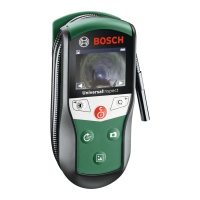
Bosch GIC 120 Professional - User Manual

Bosch GIC 120 Professional
10 pages
Print Icon
To Next Page IconTo Next Page
Loading...
Robert Bosch GmbH
Power Tools Division
70764 Leinfelden-Echterdingen
GERMANY
www.bosch-pt.com
1 609 92A 122 (2015.02) O / 123 UNI
1.5x 50
%
GIC 120 Professional
de Originalbetriebsanleitung
en Original instructions
fr Notice originale
es Manual original
pt Manual original
it Istruzioni originali
nl Oorspronkelijke
gebruiksaanwijzing
da Original brugsanvisning
sv Bruksanvisning i original
no Original driftsinstruks
fi Alkuperäiset ohjeet
el Πρωτότυπο οδηγιών χρήσης
tr Orijinal işletme talimatı
pl Instrukcja oryginalna
cs Původní návod k používání
sk Pôvodný návod na použitie
hu Eredeti használati utasítás
ru Оригинальное руководство по
эксплуатации
uk Оригінальна інструкція з
експлуатації
kk Пайдалану нұсқаулығының
түпнұсқасы
ro Instrucţiuni originale
bg Оригинална инструкция
mk Оригинално упатство за работа
sr Originalno uputstvo za rad
sl Izvirna navodila
hr Originalne upute za rad
et Algupärane kasutusjuhend
lv Instrukcijas oriģinālvalodā
lt Originali instrukcija
ja オリジナル取扱説明書
cn 正本使用说明书
tw 原始使用說明書
ko 사용 설명서 원본
th หนงสอคู่มือการใชงานฉบบตนแบบ
id Petunjuk-Petunjuk untuk
Penggunaan Orisinal
vi
Bn gc hướng dn s dng
ar
fa
ςТЎϩХʉ ЌТϾϦφЍʉ ʌμВТЎϺυ
ΖЎϩʉ ˒μВЖЙʉʓ ИͳϞφЁʑ
OBJ_DOKU-43448-001.fm Page 1 Thursday, February 26, 2015 9:54 AM
Question and Answer IconNeed help?

Do you have a question about the Bosch GIC 120 Professional and is the answer not in the manual?

Summary

Safety Notes

General Safety Instructions

General safety warnings and instructions for safe operation and maintenance.

Magnet Safety

Precautions for keeping the magnet away from sensitive electronic and magnetic devices.

Product Description

Intended Use

Details the intended applications and limitations of the digital inspection camera.

Product Features

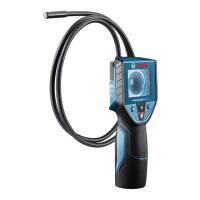
Lists components 1-12 of the inspection camera.

Assembly

Inserting;Replacing the Batteries

Instructions for inserting and replacing the batteries in the inspection camera.

Mounting the Camera Cable

Steps for attaching the camera cable to the hand unit.

Dismounting the Camera Cable

Steps for detaching the camera cable from the hand unit.

Mounting Accessories

Instructions for attaching mirror, magnet, or hook to the camera head.

Operation

Initial Operation

Steps for the first-time use and basic operation of the camera.

Switching On and Off

How to turn the inspection camera on and off.

Regulating Illumination Light

Adjusting the brightness of the camera head's illumination light.

Image Magnification

Using the zoom function to magnify the image on the display.

Display Modes

Switching between color and black-and-white rendering modes.

Compass View

Activating and understanding the compass view with reference point.

Maintenance and Service

Maintenance and Cleaning

Guidelines for cleaning and maintaining the inspection camera and accessories.

After-sales Service

Information on obtaining spare parts and service for the product.

Bosch GIC 120 Professional Specifications

General IconGeneral
Display diagonal2.7 \
Display resolution320 x 240 pixels
Battery life5 h
Probe length1200 mm
Product color-
Probe diameter8.5 mm
Camera cable length1.2 m
Wireless connectionNo
Battery voltage6 V
Batteries includedYes
Number of batteries supported4
Number of illumination LEDs3
Weight and Dimensions IconWeight and Dimensions
Width85 mm
Height197 mm

Related product manuals