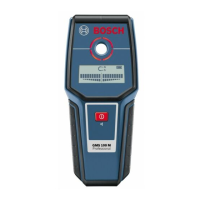
Detectores de metales y otros materiales digitales GMS120 bosch manual ingles www.viaindustrial.com
Detectores de metales y otros materiales digitales GMS120 bosch manual ingles www.viaindustrial.com
Display
Elements
(see
figure
A)
a
Switched-off audio signal indicator
b
Warning-function indicator
c
Indication of the object type “Non-metal object”
d
Indication of the object type “Non-magnetic metal”
e
Indication of the object type “Magnetic metal”
f
Indication of the object type “Live conductor”
g
Temperature control indicator
h
Battery indicator
i
Measuring indicator
j
Fine scale
k
Indication
“CENTER”
Technical
Data
Digital
Detector
GMS
120
Article number 3 601 K81 0..
Maximum scanning depth*
–
Ferrous metals 120 mm
–
Non-ferrous metals (copper) 80 mm
–
Live conductors 110–230 V
(voltage applied)** 50 mm
–
Wood 38 mm
Automatic switch-off after approx. 5 min
Operating temperature –10 °C...+50 °C
Storage temperature –20 °C...+70 °C
Battery 1 x 9 V 6LR61
Operating life time, approx. 5h
Weight according to
EPTA-Procedure 01/2003 270 g
Degree of protection IP 54 (dust and splash
water protected)
*depending on operating mode, material and size of the objects, as well
as material and condition of the base material
**less scanning depth for wires/conductors that are not
“live”
Intermsofaccuracy,themeasuringresultcanbeinferiorincase
of
unfavourable
surface
quality
of
the
base
material.
English
|
11
Assembly
Inserting/Replacing
the
Battery
Alkali-manganese batteries are recommended for the meas-
uring tool.
To open the battery lid
14
, press the latch
15
in the direction
of the arrow and fold up the battery lid. Insert the supplied
battery.Payattentionthatthepolarityiscorrect,accordingto
the representation on the inside of the battery lid.
The battery indicator
h
always indicates the current battery
status:
–
Battery fully charged
–
Battery has 2/3 of its capacity or less
–
Battery has 1/3 of its capacity or less
–
Please change battery
If
the
measuring
tool
is
not
used
for
a
long
period
of
time,
the
battery
must
be
removed.
The battery can cor-
rode or discharge itself over long periods.
Operation
Protect
the
measuring
tool
against
moisture
and
direct
sun
light.
Do
not
subject
the
measuring
tool
to
extreme
tempera-
tures
or
variations
in
temperature.
In
case
of
large
var-
iations
in
temperature,
allow
the
measuring
tool
to
ad-
just
to
the
ambient
temperature
before
switching
it
on.
In case of extreme temperatures or variations in tempera-
ture, the accuracy of the measuring tool and the display in-
dication can be impaired.
Use
or
operation
of
transmitting
systems,
such
as
WLAN,
UMTS,
radar,
transmitter
masts
or
microwaves,
in
the
close
proximity
can
influence
the
measuring
function.
Initial
Operation
Switching
On
and
Off
Beforeswitchingthemeasuringtoolon,makesurethat
the
sensor
area
12
is
not
moist.
If required, dry the meas-
uring tool using a soft cloth.
If
the
measuring
tool
was
subject
to
an
extreme
tem-
perature
change,
allow
it
to
adjust
to
the
ambient
tem-
perature
before
switching
on.
To
switch
on
the measuring tool, press the On/Off button
5
.
To
switch
off
the measuring tool, press the On/Off button
5
again.
When no button on the measuring tool is pressed for approx.
5 minutes and when no objects are detected, the measuring
tool automatically switches off to save the battery.
Switching
the
Display
Illumination
On/Off
The display illumination can be switched on/off with display-
illumination button
6
.
Switching
the
Audio
Signal
On/Off
The audio signal can be switched on/off with the audio signal
button
7
. When the audio signal is switched off, indication
a
appears on the display.


 To Next Page
 Loading...