Robert Bosch LLC M-VCI – NETGEAR® Router Installation Guide Index | Version 1.0 | April 2011
7 | Installation Steps | Step 2
f Done!
At this point, the router will reboot
and you will lose communication,
this is normal. Disconnect the
computer from the NETGEAR
Router at this time.
Step 2 - Connecting Your
Wired Devices “Special
Instruction for Type I”
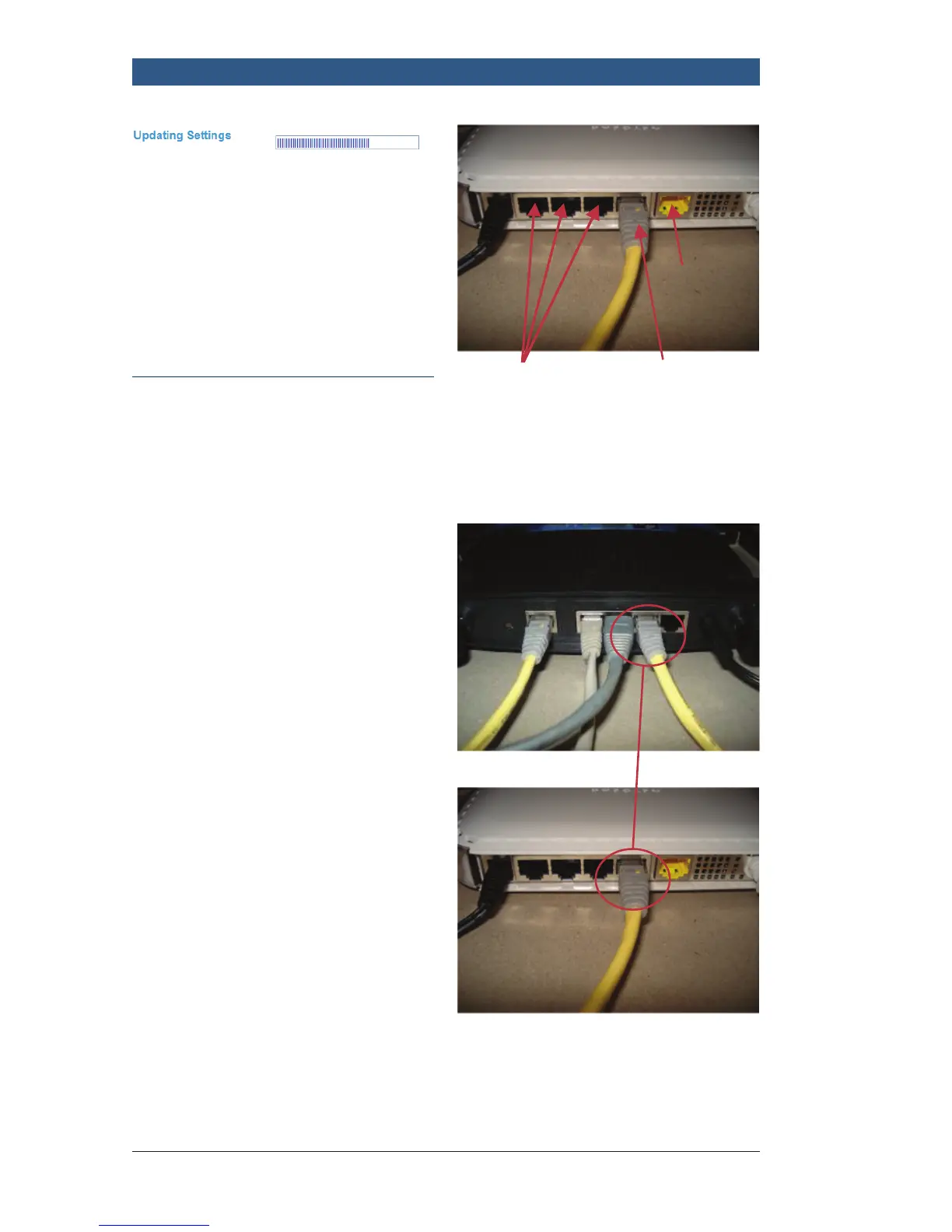
f Using an Ethernet cable,
connect one end into the LAN
port on the NETGEAR Router.
f Connect the other end to one
of the following:
– A LAN port on your pre-
existing router or,
– An open network drop that
is connected to your pre-
existing network.
f Provide AC power to the
NETGEAR Router
For additional wired
devices (if needed)
To existing
router port
Not used
This shows a typical connection to
an existing router.
Connected
You are now finished with Step 2,
proceed to Step 3.



 To Next Page